
How to Find Local Cricket Matches Near You, Live and Upcoming
Find live and upcoming local cricket matches, tournaments and grounds near you with Criconic. Near me, ground pages, follows and match reminders.
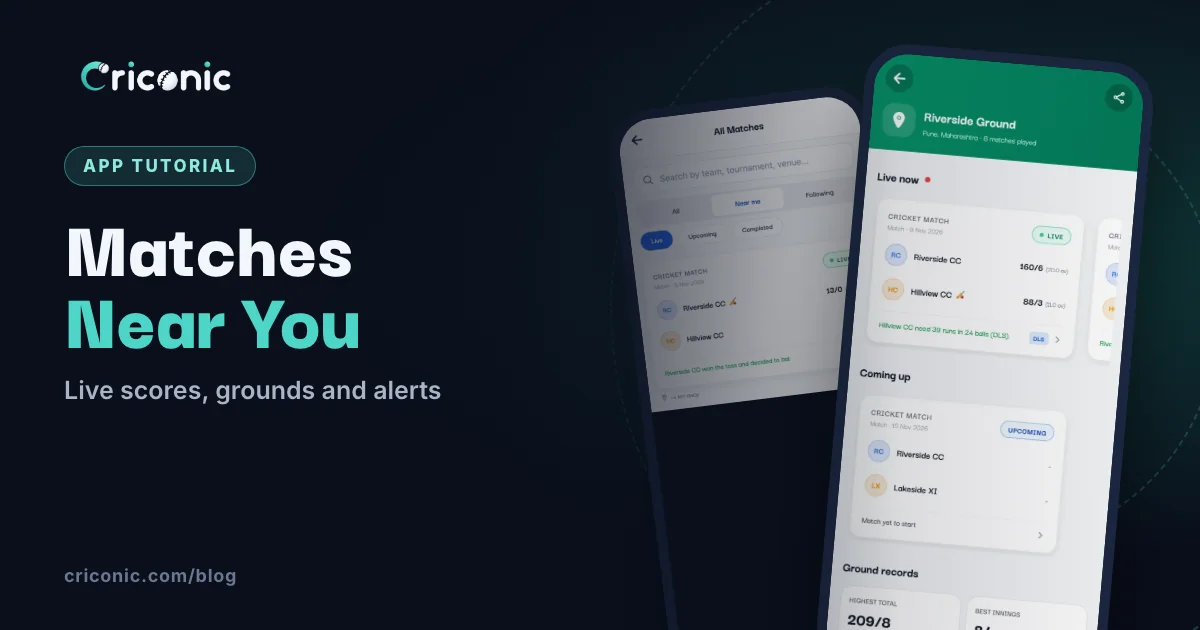
"Aaj kahan match chal raha hai?" Somewhere near you there's a box cricket final, a Sunday tennis-ball league or a club match with a crowd on the boundary. The hard part is knowing where.
This guide shows how to find live and upcoming local cricket matches near you with Criconic, how to find tournaments in your town, what a ground page shows, and how to get a buzz when your team plays. At the end: how to make your own matches show up for people nearby.
1. Find matches near you in the app
Open the Criconic app. On Home you'll see the Matches block with three tabs: Live, Upcoming and Results. Under the tabs are chips for where to look: Near me, your state (when the app knows it), All and, once you're signed in, Following.
Tap Near me. The app asks for your location only now, to find matches. (Said no? Tap Try again, or Settings if location is off for Criconic.) Matches come under Near you, with how far the app looked ("within 25 km", say) and a "~3 km away" line under each card. If there aren't many nearby, the block fills up from your state, then the rest of India.
See all opens All Matches. Pick Near me at the top, then Live, Upcoming or Completed. Here you get every public match, nearest first, page after page. You can also open it from the menu: All Matches under Explore.
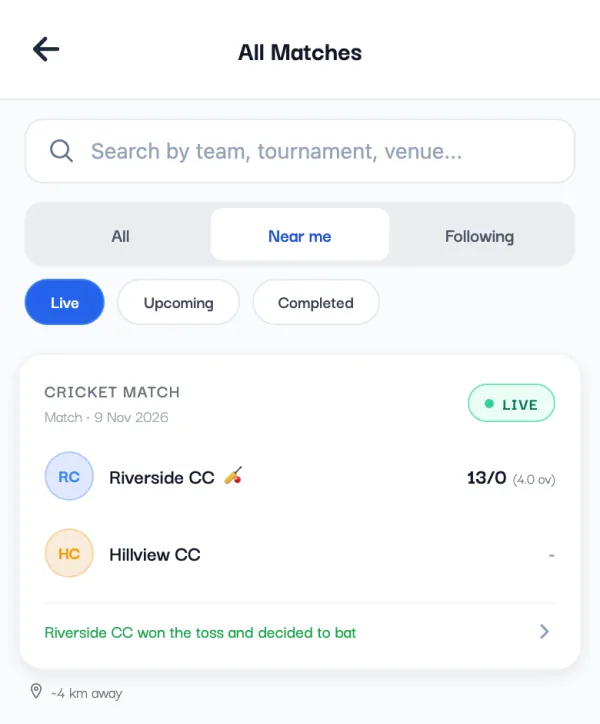
The distance is to the ground itself when the organizer picked it from the search or set it with their phone's location. For a match with just a town typed in, it's the distance to that town. Near me looks as far as 300 km, so in a quiet week you'll see the next town's matches too.
2. Or on the website
No app? Go to criconic.com and scroll to Live near you on the home page. Tap Show matches near me and let your browser share your location. As the page says: "Your location is only used for this search."
You get the live matches nearest you, each with roughly how far it is. When the match is at a known ground, its name is a link to the ground page. If you allowed location on the site before, the list loads by itself next time. Tap Refresh to look again.
The website shows live matches here, not upcoming ones. For Upcoming and Results near you, use the app.
3. What Live, Upcoming and Results mean
- Live means somebody scored the match in the last 3 hours. A match the scorer left half-way drops off the Live list, and in the app its card says SCORING STOPPED instead of LIVE.
- Upcoming lists matches set up with a start time, from a few hours ago to a month ahead, soonest first. A match only shows here if its organizer set it up before it starts.
- Results (Completed under Near me in All Matches) has matches finished in the last month, newest first.
Private matches never show up in these lists. Only their organizers, players and teams can see them.
4. Find local tournaments
In the app, open the menu and tap All Tournaments. Use the chips at the top: All, Ongoing, Upcoming and Completed. A tournament is ongoing from its first day to its last (or until the organizer ends it), and its card says Live / Ongoing. Live ones come first, then the ones starting soonest.
Tournaments don't have a Near me filter, so type your town or city in the search box ("Search tournaments, venues, cities..."). Open a tournament to see its matches, points table and leaderboard.
On the website, Tournaments has the same idea: Live & Ongoing, Upcoming and Completed tabs, and a search for tournament, city or team. Running one yourself? See how to create a cricket tournament online.
5. Ground pages: what's on at a cricket ground
Every ground with matches on Criconic can have its own page. It shows the ground's name and city, how many matches have been played there, and other names people use for it ("Also called"). Below that:
- Live now and Coming up: what's being played there now, and next.
- Ground records: the highest total, the best innings and the best bowling there. Tap one to open that match.
- Most runs here and Most wickets here: the ground's top players.
- Recent matches: finished matches at the ground.
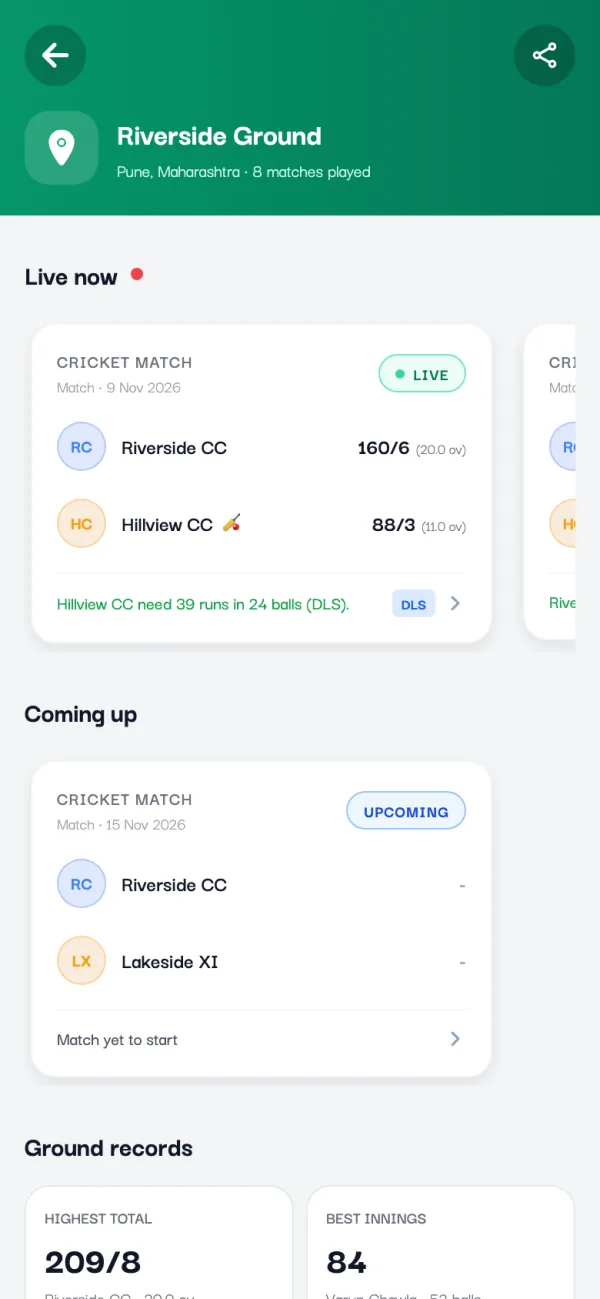
To open one, open any match at that ground, go to the Info tab and tap the Venue row (it opens the page once the ground has a public one). On the website, the ground's name under a Live near you card works too. Ground pages are web pages, so you can share the link with the share button.
There's no map or list of every ground to browse: you reach a ground through the matches played there. Ground pages are about cricket played at the ground. Criconic doesn't take ground bookings.
6. Follow teams, players and tournaments
In the app, open a team, a player or a tournament and tap Follow. Then:
- You get a notification when one of their matches starts and when it ends. Not one for every ball.
- The Following button on Home opens a feed of what they've been up to: results, fifties and hundreds, big bowling hauls, Player of the Match, tournaments starting and ending, and season ranks. Tap Manage there to see who you follow.
- The Following chip in Home's Matches block, and the Following tab in All Matches and All Tournaments, show only their matches and tournaments.
You follow from the app. Signed in on the website, the Following buttons on Matches and Tournaments show the same lists. To turn the alerts off, open the app's Settings and switch off Teams, players & tournaments you follow under Notifications.
7. Get a reminder for one match
Found a match you want to watch, but it starts later? Open it in the app. Before the toss, the match page shows "Get a notification when this match starts." with a Remind me button. Tap it and it turns into Reminder on. You'll get one notification when the match starts, then the reminder is done. If you're not signed in, the app asks you to sign in first.
8. Make your own matches show up near you
Want your town to find your match? A few things decide whether it appears in Near me.
- Set the ground. In the app, the Date & Venue step of a new match has Location / Ground. At the ground, tap Current Location (or Allow on "Fill in the ground for you?"), pick one of the Grounds near you or your Recent grounds, or search for the ground or city. A typed town name usually works too: the match then counts as being in that town.
- Keep it Public. In the Ball, Pitch & Rules step, Who can see it should say Public ("Anyone can find and follow it."). Matches are public unless you change it. A match in a private tournament is private too.
- Create it ahead of time. Set up the match with its date and time a day or two early, and it shows in Upcoming. People nearby can tap Remind me.
- Score ball by ball. The match stays Live while someone is scoring it.
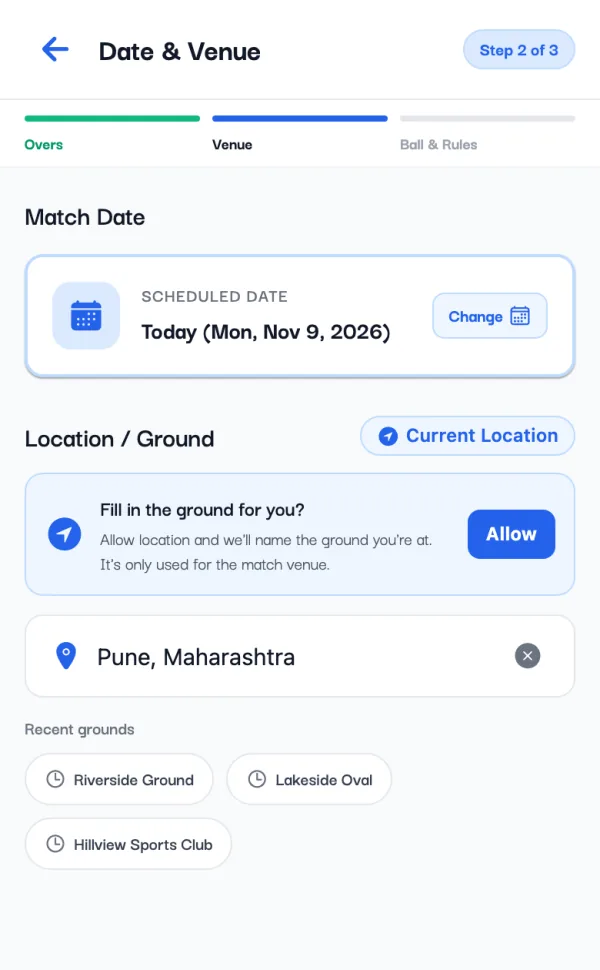
On the website, the same fields are in the match setup: Ground / location under When & where, and Who can see it.
Want a spot on Home's Matches block as well? Home features streamed matches. Put a live score overlay on your stream (see how to live stream a cricket match on YouTube), or hire a local streamer through Criconic. And send the live link to your groups: how to share a live cricket score.
Questions
How do I find local cricket matches near me today?
In the Criconic app, open All Matches (See all on Home's Matches block), pick Near me and then Live or Upcoming. Allow location when asked. The matches come nearest first, each with roughly how far away it is.
Can I find live matches near me without the app?
Yes. On the criconic.com home page, tap Show matches near me under Live near you and let the browser share your location. The website shows live matches only.
Why can't I see a match I know is being played?
It may be private, its scorer may not have scored it in the last 3 hours, or it was saved without a ground or town. Home's Matches block also shows only streamed, verified and streamers' matches, so check All Matches → Near me.
How do I find a cricket ground near me?
Open a match played there, go to the Info tab and tap the Venue row to see the ground's page, with its live and upcoming matches and records. Criconic doesn't take ground bookings.
How do I get notified when a local match starts?
Follow the team, a player or the tournament in the app to hear when their matches start and end. For one match, tap Remind me on its page before the toss.