
How to Share the Live Score of Your Local Cricket Match
Share a live score link for your local or gully cricket match on WhatsApp. Friends follow ball by ball in any browser, no app needed. Plus scorecard images.
"Score kya hua?" Every local match has a WhatsApp group asking the same question, and someone at the ground typing updates between balls. There's an easier way: share one link and let everyone follow the live score themselves.
This guide shows how to share the live score of your local cricket match from the Criconic app: the live link, a scorecard image for WhatsApp, story cards, and match alerts. Your friends don't need the app or an account to follow along.
1. Share the live link
Score the match in the app (see how to use a cricket scoring app). Then open the match and tap the share icon at the top. Choose Share link and pick WhatsApp, or any other app, from your phone's share menu.
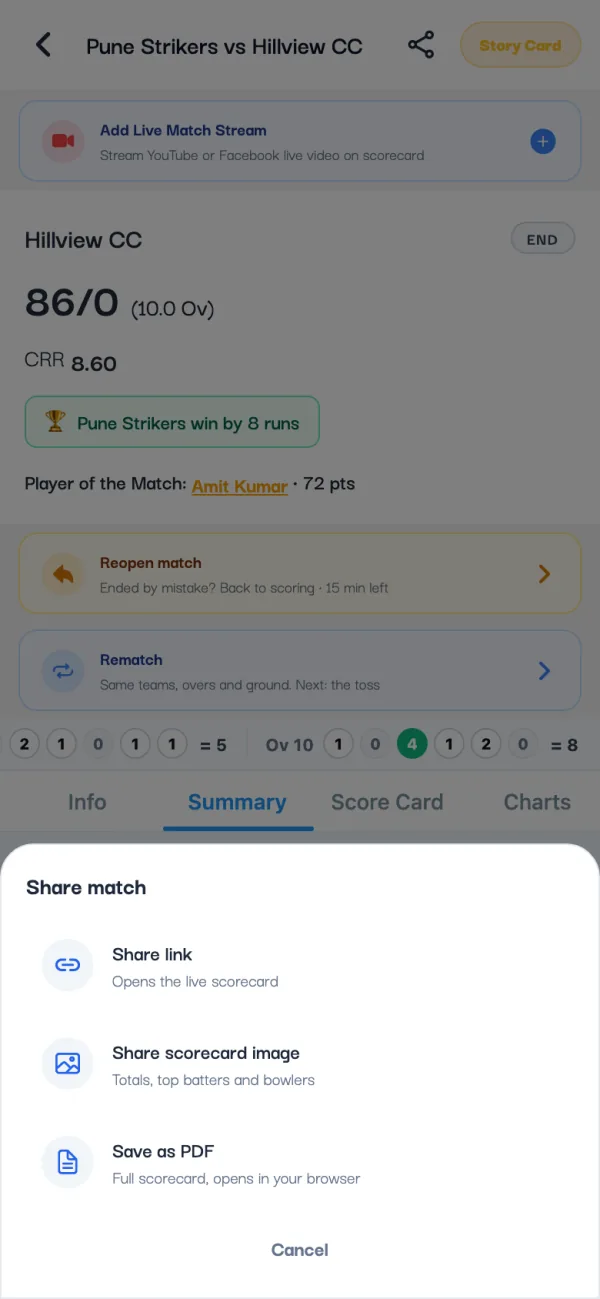
The message reads like "Pune Strikers vs Hillview CC on Criconic" followed by the link. On WhatsApp the link preview shows the teams and the current score, so the group sees the score before anyone opens it.
2. What your friends see
The link opens the live scorecard on criconic.com in any phone or laptop browser. There's no app to install and no sign-up. It updates by itself after every ball, so nobody has to refresh.
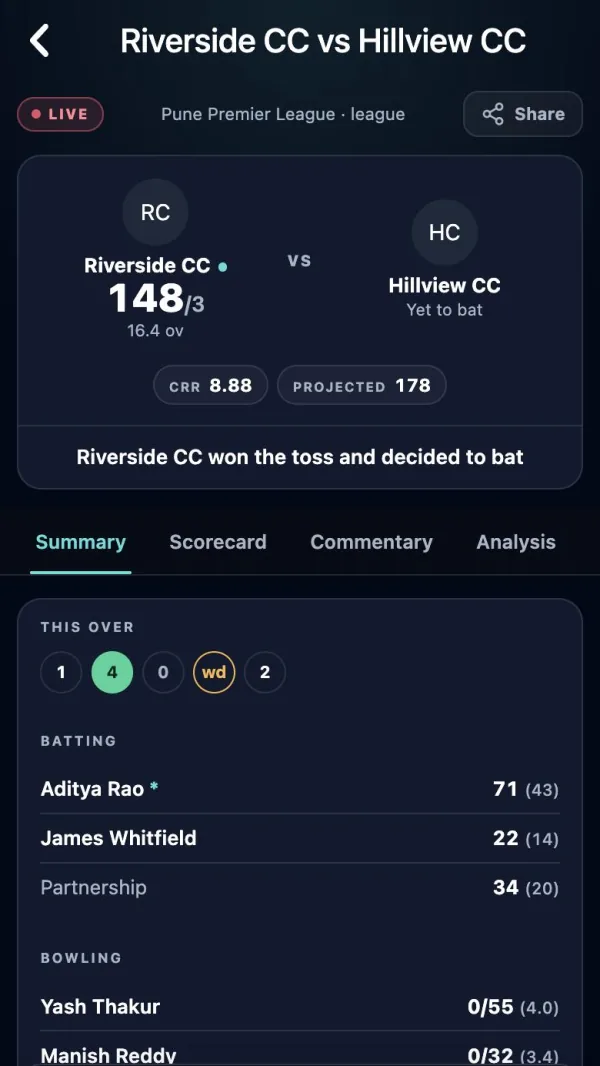
- Summary: recent overs and the top performers.
- Scorecard: the full batting and bowling card, extras and fall of wickets.
- Commentary: a line for every ball, written automatically from what you scored.
- Analysis and Charts: the wagon wheel and pitch map (if you recorded them), the run progression and partnerships.
If the scorer loses signal, the page waits at the last ball and catches up when the scorer reconnects (see offline cricket scoring).
3. Send a scorecard image
Some groups prefer a picture. Tap share, then Share scorecard image. You get a card with the result, each innings' total, and the top batters and bowlers. Tap Share on WhatsApp, pick WhatsApp from your phone's share menu and send it to a chat or your status.
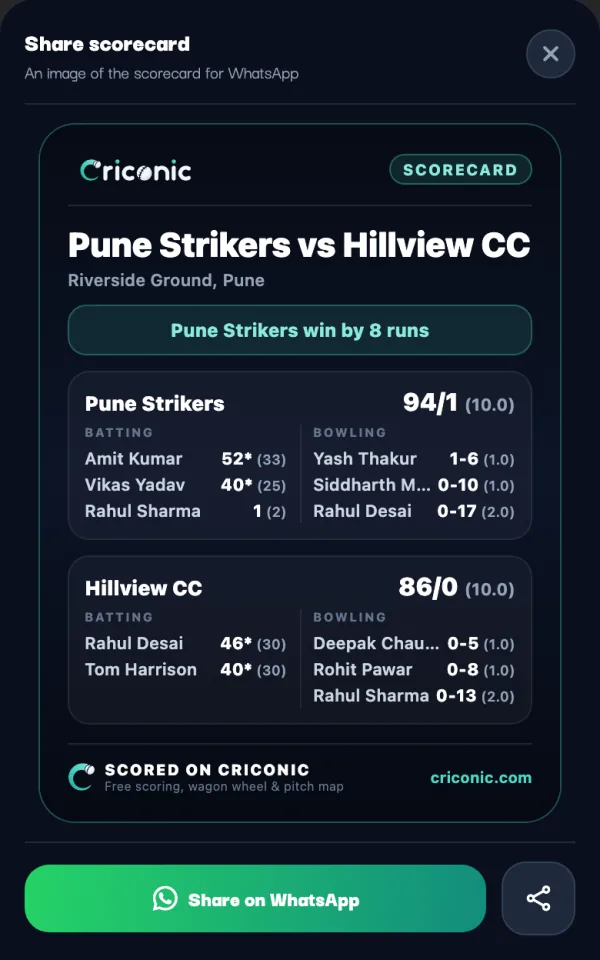
The image goes on its own, so send the live link as well if you want people to open the full scorecard. Save as PDF gives the complete scorecard to print or file.
4. Share the result when the match ends
When you tap End Match, the app shows Match saved and asks whether to share the scorecard with your team. One tap sends the link with the final result.
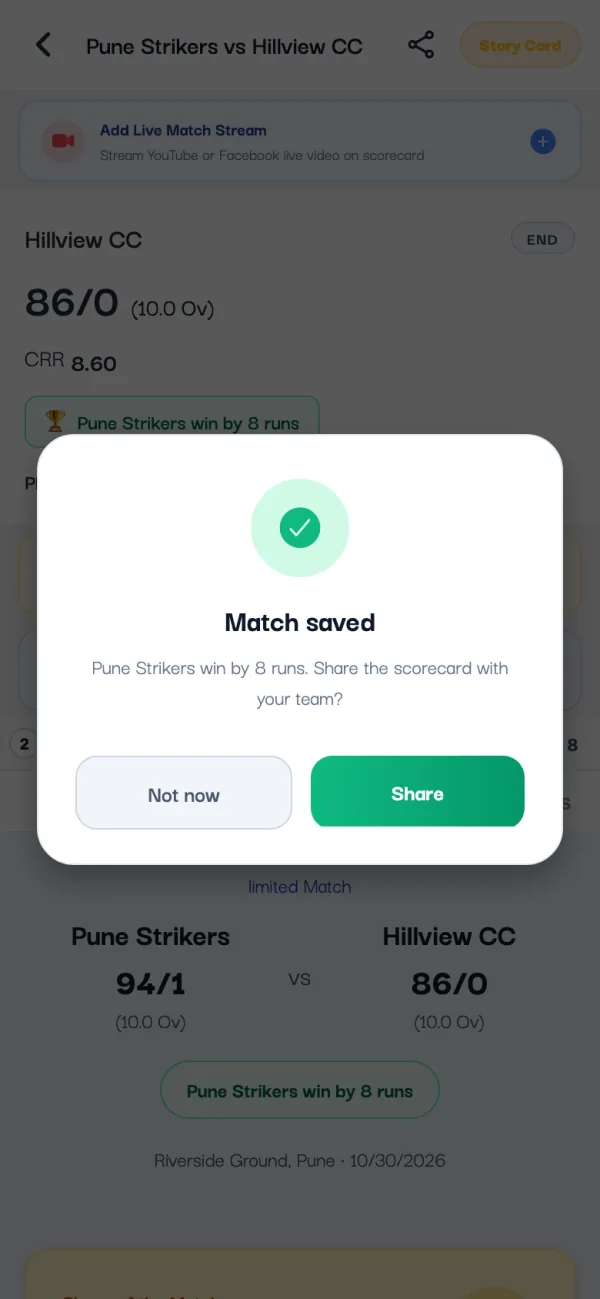
For something to post on Instagram, tap Story Card at the top of the match page. It makes a match story image for WhatsApp Status or an Instagram Story. Under Player of the Match, Share Player Card does the same for the star of the day.
5. Match alerts for your players
Players in the match who have the app get a notification when the match starts, at the innings break and with the result. People who follow either team, the tournament or a player in it get the start and the result. Nobody gets a buzz for every ball.
- To follow a team, a tournament or a player, tap Follow on its page in the app.
- For a match that hasn't started, Remind me on the match page sends one notification when it starts.
- Each person chooses which alerts they get in the app's Settings.
6. Going live on YouTube?
If someone is filming the match, put the live score on the video. Criconic's score overlays update from the same scoring, ball by ball. See how to live stream a cricket match on YouTube. Already streaming? Paste the YouTube or Facebook link into the match (Add Live Match Stream), and it plays on the scorecard page too.
Public or private?
Matches are public unless you choose otherwise. A Private match is seen only by its organizers, players and teams, so the link won't open for anyone else. Keep a match public if you want the whole group, or the whole town, to follow it.
Questions
How do I share the live score of a local cricket match?
Score the match in the Criconic app, open it and tap the share icon, then Share link. Send the link to your WhatsApp group; it opens a live scorecard that updates after every ball.
Do my friends need to download an app?
No. The link opens in any browser, with no app and no sign-up.
Does the live score update by itself?
Yes. The scorecard page updates after every ball without refreshing.
Can I share the scorecard as an image on WhatsApp?
Yes. Tap share, then Share scorecard image, then Share on WhatsApp. The card has the result, both totals and the top batters and bowlers.
Will everyone get a notification for every ball?
No. Players get alerts for the start, the innings break and the result; followers get the start and the result.