
Offline Cricket Scoring: How to Score a Match Without Internet
Score a cricket match with no signal. How offline scoring works in the free Criconic app, what to do before you lose network, and how it syncs.
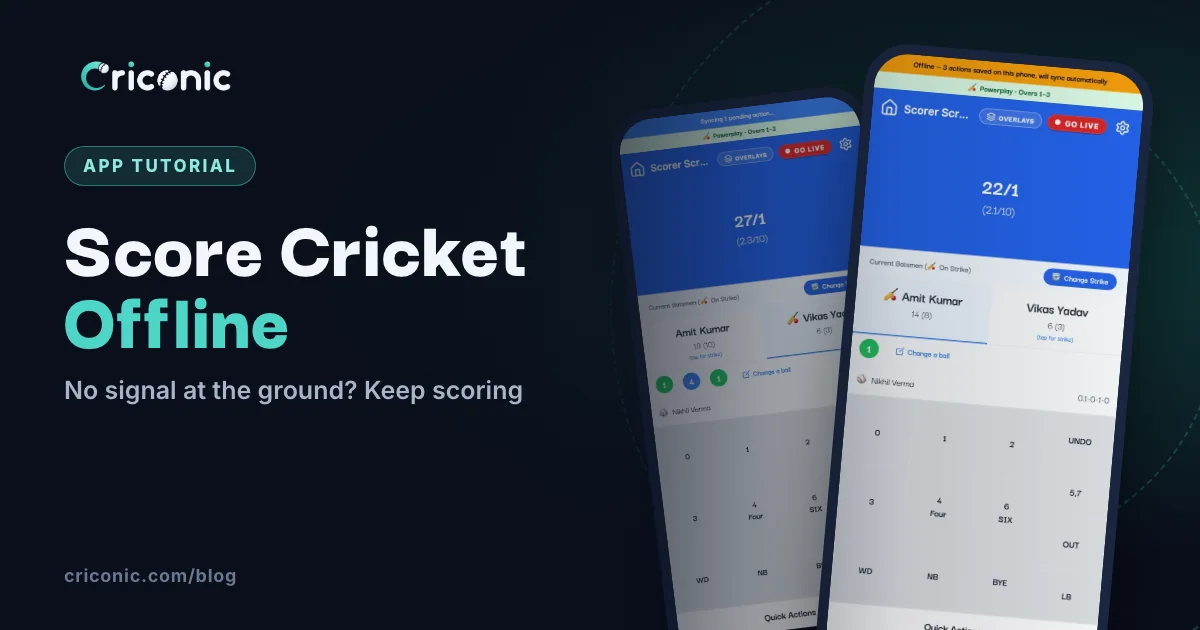
Half the grounds we play on have one bar of signal, and it drops the moment the match gets close. A scoring app that stops when the network does is no use there.
The Criconic app for Android and iPhone keeps scoring without internet. Every ball is saved on the phone first, and it all uploads by itself, in the right order, when the signal comes back. Here's how offline cricket scoring works, what to do before you lose signal, and what still needs a connection.
Before you lose signal
Do these three things while you still have a connection, even a slow one:
- Create the match with both teams and their squads.
- Record the toss.
- Pick the openers and start the match, so the scoring screen opens once on your phone.
That's all. From then on, the phone has everything it needs to keep scoring. If you're setting up for the first time, follow how to use a cricket scoring app.
Scoring with no signal
Score exactly as you normally would. When the connection drops, an amber bar appears at the top of the scorer screen. It counts the actions saved on the phone:
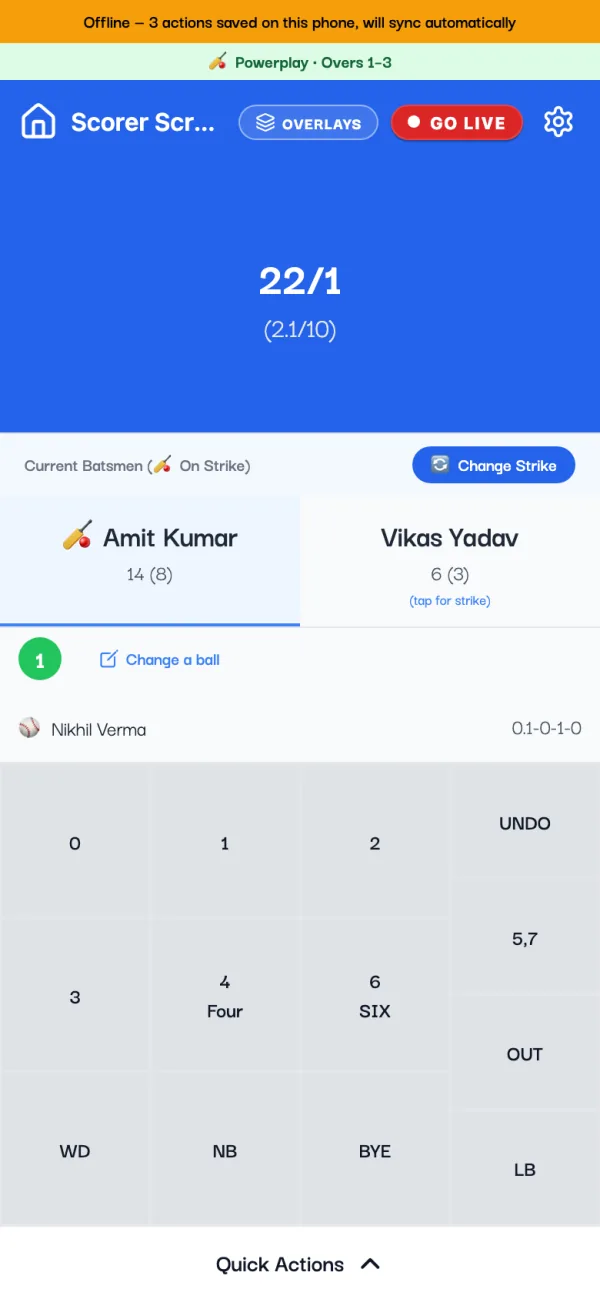
Everything you need for a normal match works offline:
- runs, extras and wickets, with the fielder
- picking the next batter and the next bowler
- changing the strike, and UNDO
- ending the innings and picking the openers for the chase
- super over, tie and ending the match
- adding a player from the team's saved list to the match squad
The score, the overs, the target and the bowling limits keep working, because the app applies the same rules on the phone. If a tap breaks one (the same bowler twice in a row, say), it tells you straight away.
Closing the app is safe
Each ball is written to the phone's storage the moment you tap it, so nothing is lost if the battery dies, the app is closed or the phone restarts. Tap Home while balls are waiting and the app reminds you:
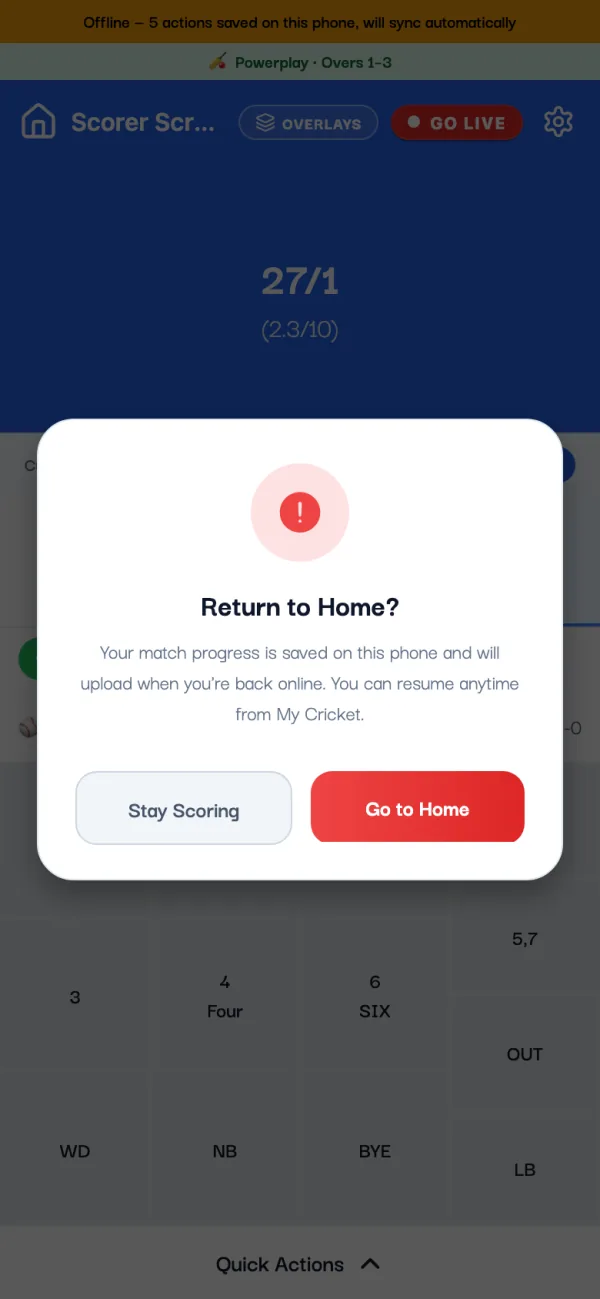
To carry on later, open My Cricket. A match with balls still waiting shows a card that says how many are not uploaded yet. Tap it to go back to scoring.
When the signal comes back
You don't need to do anything. The app keeps checking for a connection, and when it finds one the bar turns blue and uploads the saved actions one by one, oldest first:
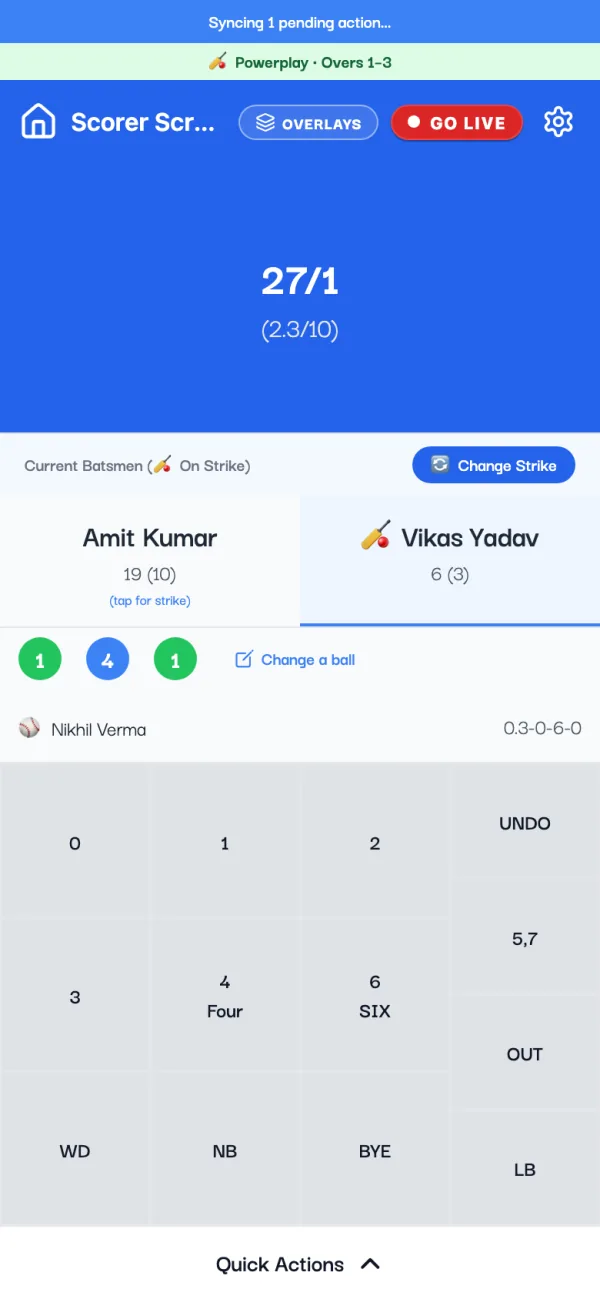
- No duplicate balls. Every action has its own id, so a ball that already reached the server is never counted twice, even on a flaky connection.
- It works from any screen. If you closed the app, the balls upload the next time you open it with a connection, without going back into the match.
- You'll hear if something went wrong. If the server can't accept an action, the app says how many were skipped and asks you to check the scorecard.
What your followers see
People following the live scorecard see the score stop at the last ball that reached the server. When you reconnect, it catches up ball by ball within moments. Match alerts, such as the result, go out at that point too. So score offline without worrying: nobody misses a ball, they just see it a little later. More on the live link in how to share the live score.
What still needs internet
| What you do | Works offline? |
|---|---|
| Creating a match or a team | No, do it before the match |
| Recording the toss and the first openers | No |
| Runs, extras, wickets, strike, UNDO | Yes |
| Next batter and next bowler | Yes |
| End of innings and the chase openers | Yes |
| Ending the match | Yes |
| Adding a player from the team's list | Yes, joins the squad when back online |
| Adding a brand-new player | No |
| Change a ball (fixing an older ball) | No, and wait until the saved balls have uploaded |
| Match settings, DLS target, Go Live | No |
The website at criconic.com needs a connection for every ball. Offline scoring is in the app.
Tips for grounds with bad network
- Use one phone to score. Only one phone scores a match at a time. If a co-scorer takes over while you're offline, your phone shows the balls it didn't send, and you can discard them if the other scorer already has them.
- Don't wait a week to sync. Balls saved on the phone for more than seven days are cleared, so open the app with a connection soon after the match.
- Save battery. The scorer keeps the screen on, so the app dims it between balls (Settings, Scoring). Dark mode helps on AMOLED screens.
- Stay signed in. If you sign out with balls waiting, they stay on the phone, but they only upload after you sign in again.
Questions
Is there a free cricket scoring app that works offline?
Yes. The Criconic app for Android and iPhone is free and keeps scoring without internet. Each ball is saved on the phone and uploads when you're back online.
Do I need internet to start a match?
Yes, briefly. Create the match, record the toss and start it with the openers while you have a connection. After that you can score with no signal.
What happens if my phone dies while I'm offline?
Nothing is lost. Each ball is stored on the phone as you tap it. Open the app again and carry on from My Cricket; the balls upload when there's a connection.
Will balls be counted twice when it syncs?
No. Each action has its own id, so the server skips anything it already has.
Can I score offline on the website?
No. The website needs a connection for each ball. Use the app for offline scoring.