
Cricket Tournament Registration Form: What to Ask and How to Take It Online
What a cricket tournament registration form should ask, with a template, and how to take team registrations online with one link you approve.
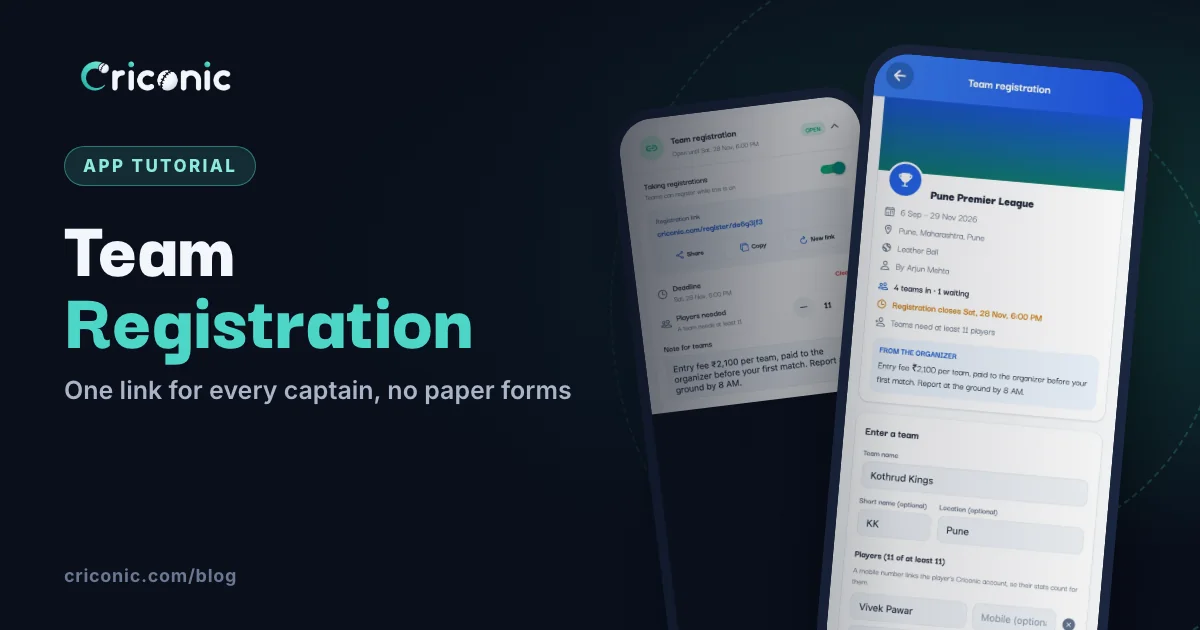
Every tournament starts the same way: a registration form. Usually it's a paper sheet at the ground, a Google Form, or twenty WhatsApp messages with team names and half the squads. Then someone types it all into the scoring app, and spells half the names wrong.
This guide covers what a cricket tournament registration form should ask for (with a simple template you can copy), and then how to use Criconic's team registration link instead. Captains fill in their team and players themselves, you approve them, and the teams land straight in your tournament, ready for fixtures.
What a registration form should collect
Keep it short. A captain filling a form on the phone gives up after the tenth box. These are the details that actually matter, and how a Criconic link handles each one:
| Detail | Why you need it | With a Criconic link |
|---|---|---|
| Team name | Fixtures, the points table and the scoreboard all use it. | Team name, plus a short name like RS (optional). |
| Captain | Someone to call about timings, results and disputes. | The captain signs in to register, and runs the team on Criconic after that. |
| Players | No outsiders at the last minute, and every player gets their stats. | Each player's name, with a mobile number (optional) that links their Criconic account. |
| Area or town | Helps with scheduling, and fans like to know where a team is from. | Location (optional). |
| Squad size | Teams come with enough players for your format. | You set the fewest players a team needs. A smaller team can't register. |
| Entry fee | Most local tournaments collect it before the draw. | Shown on the link if you set one. Criconic doesn't collect it: you do. |
| Rules and reporting time | Fewer arguments on match day. | Write them in your note for teams. |
| Last date | You need the full list before you make fixtures. | Set a deadline. The link stops taking teams after it. |
A simple registration form template
Prefer a paper or WhatsApp form for now? Copy this:
- Team name and short name (3 or 4 letters)
- Captain's name and mobile number
- Vice-captain's name and mobile number
- Players: name and mobile number for each (at least the number you need)
- Area or town
- Entry fee paid: amount and UPI reference
- "We have read the rules and will report on time": captain's signature or a yes
Want help with the rules themselves? Our guide on how to organise a cricket tournament has a rules-sheet checklist.
1. Turn on team registration
First, create your tournament if you haven't. Then, in the Criconic app, open the tournament and go to the Teams tab. As its creator or organizer, you'll see a Team registration card at the top. Tap it and switch on Taking registrations. Your link appears straight away.
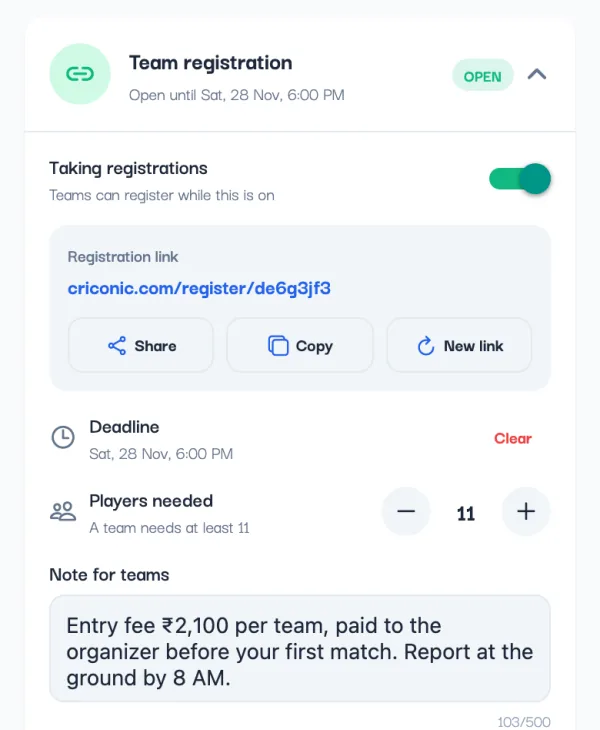
Then set what a team needs to enter:
- Deadline: the date and time registration closes. Leave it empty to keep it open until you close it.
- Players needed: the fewest players a team must have, up to 30. Leave it at 0 for no minimum.
- Note for teams: up to 500 characters that every captain sees on the link. Put the entry fee, payment details, key rules and reporting time here.
Tap Save after changing the players or the note. On the website it's the same: open the tournament's Teams tab and use the Team registration panel, with Closes at (optional), Fewest players per team and Note for teams (optional).
3. What the captain fills in
The link opens your tournament's registration page: its dates, place, organizer, entry fee and prize (if you set them), how many teams are in and waiting, the deadline, the players needed and your note. Anyone can read it. To register, the captain signs in to Criconic, or signs up first.
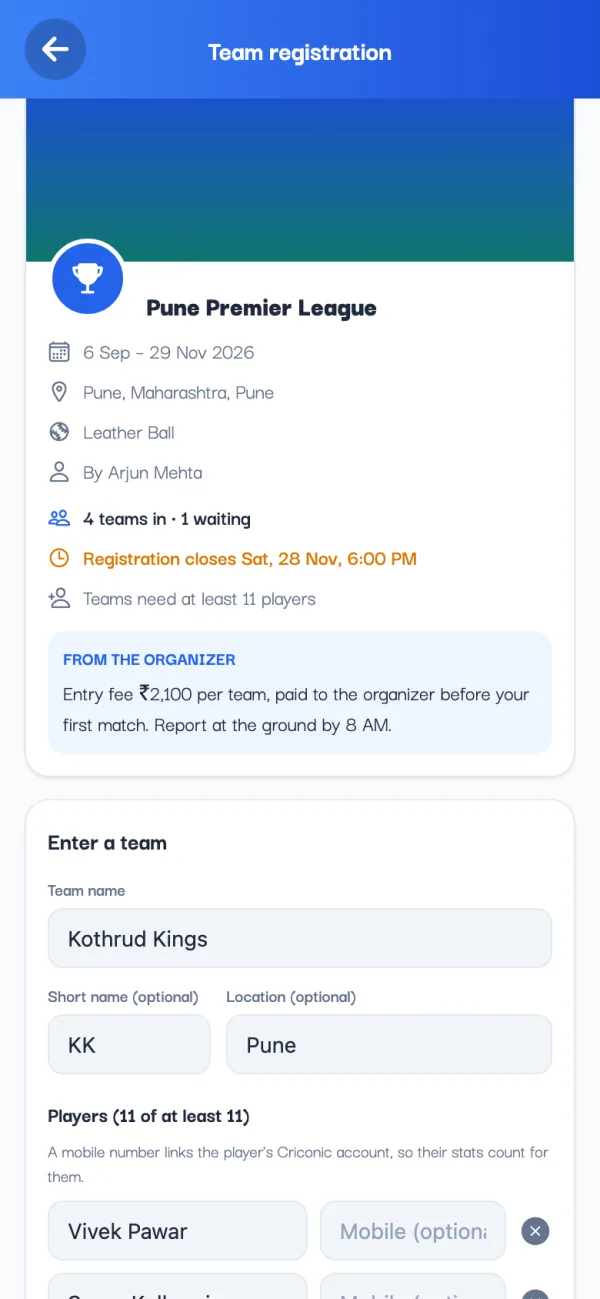
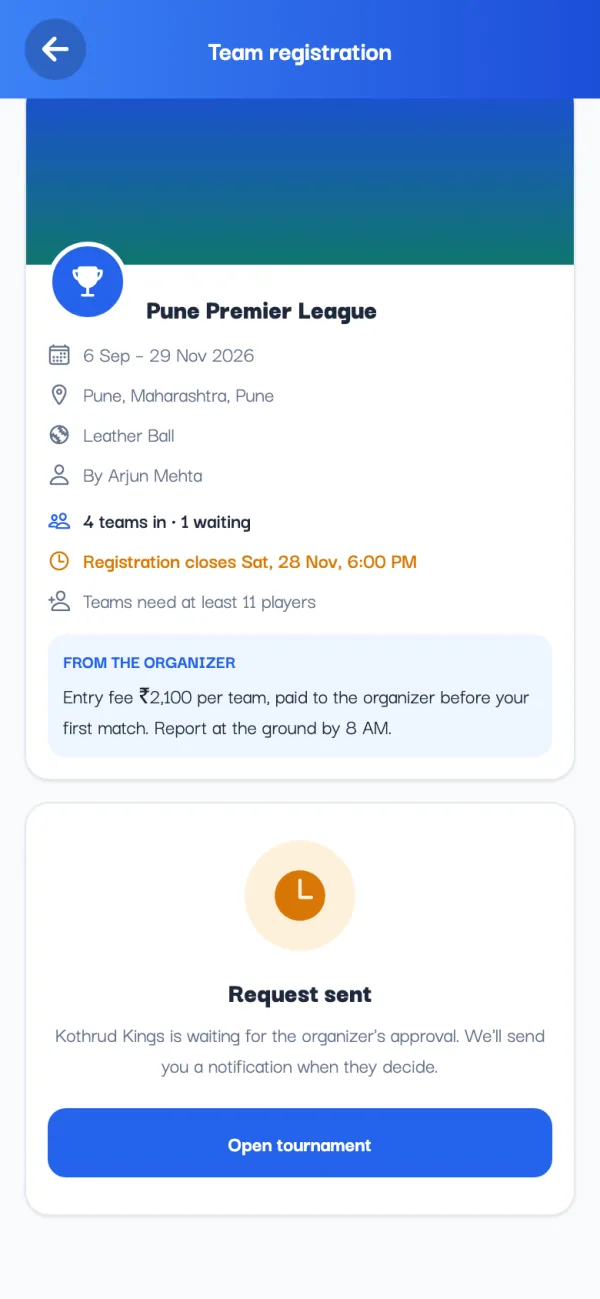
Then the captain either:
- Picks a team they already have on Criconic (Your teams on the website, My teams in the app). Each shows its player count, and is flagged if it's short of your minimum.
- Makes a new one (Create a new team on the website, New team in the app): the team name, a short name and location if they like, and each player's name with a mobile number (optional). Add player adds another row.
Finally they tap Register team (or Create team and register for a new team) on the website, or Send registration in the app. Names go in English letters: type one in Hindi and the form offers the English spelling.
A team with fewer players than you asked for can't register. The captain sees how many it needs, adds players and tries again. If a team has already asked to join, the form says so instead of sending it twice.
4. Approve or decline teams
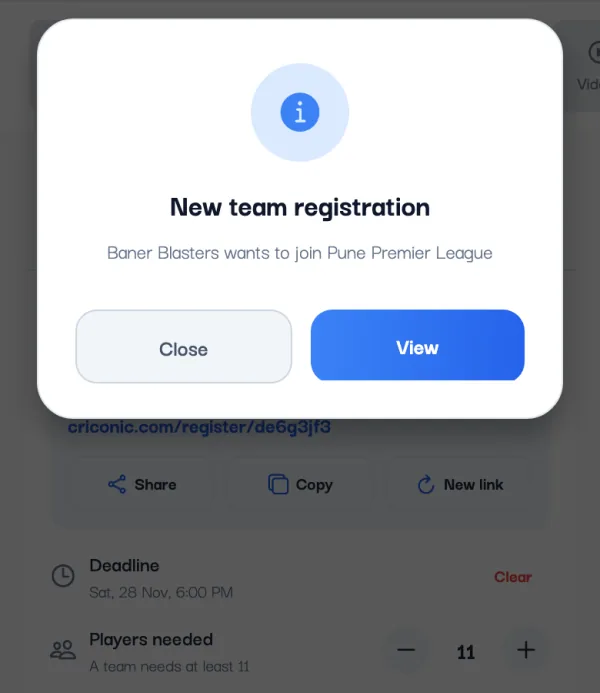
Each new request sends you and the other organizers a notification: New team registration, with the team's name. Tap it to open the tournament's Teams tab, where requests wait under Requests, each with the date it was sent.
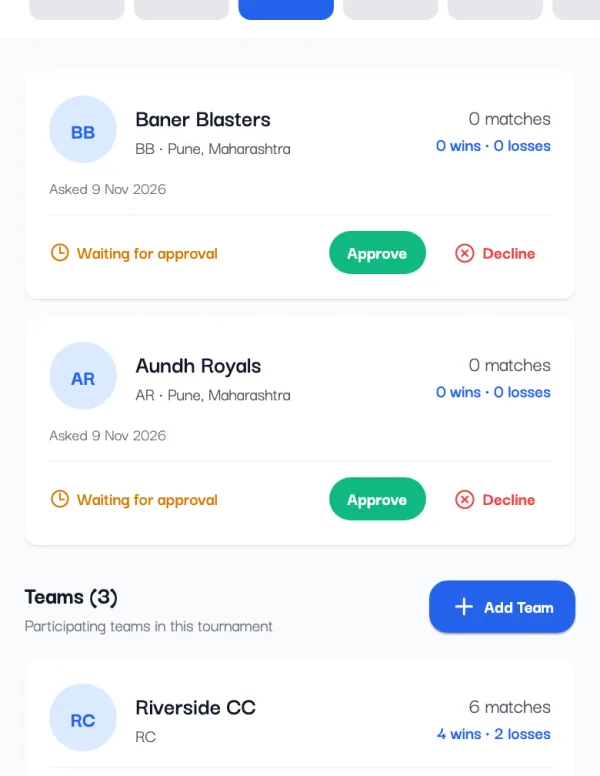
- Approve lets the team in. Its captain gets a Registration approved notification.
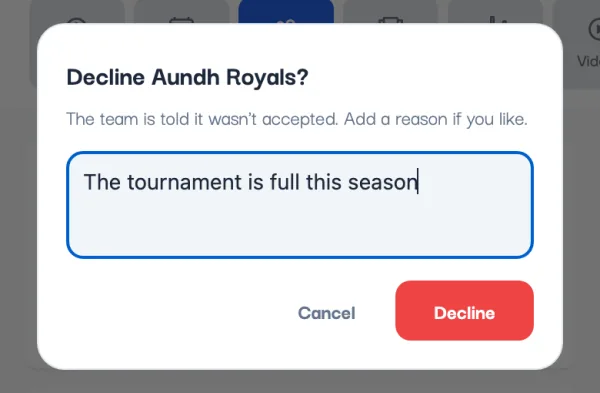
- Decline asks for a reason (optional), like "The tournament is full". The captain gets a Registration declined notification with your reason.
On the website, the same requests show under Waiting for approval, below the Team registration panel, with Approve and Decline. Teams you register yourself, as an organizer, go in straight away.
5. After approval: the team is in
An approved team shows in the Teams tab for everyone, and anyone can open it to see the squad. From there it's like any team you added yourself:
- Make fixtures in the app plans matches for the approved teams. Teams still waiting are left out (the sheet tells you how many), so approve everyone first. See how to create a cricket tournament online for the fixtures.
- Every match the team plays adds to the tournament's leaderboards and MVP table. See how MVP points work.
- A mobile number links each player's Criconic account, so their runs and wickets count in their own stats.
- Whoever registered the team looks after its squad. To add players later, see how to create a cricket team and add players.
- Need to take a team out? Remove works until the team has played a match in the tournament. Its fixtures that haven't started are deleted with it.
6. Close registrations
Registration closes in any of three ways:
- You switch off Taking registrations. The link then tells captains the organizer isn't taking registrations right now.
- The deadline you set passes.
- The tournament ends.
Teams already in, or waiting for you, stay as they are. Changed your mind? Switch it back on, or clear the deadline, and the same link works again.
Questions
How do I make a cricket tournament registration form online?
Create your tournament on Criconic, open its Teams tab and switch on Taking registrations in the Team registration card. Set a deadline, the players needed and a note, then share the link. Captains enter their team and players, and you approve them.
What should a cricket tournament registration form include?
The team name, the captain and their number, the players with their mobile numbers, the area, the entry fee and payment, and agreement to the rules and reporting time. Set a last date so you have every team before making fixtures.
Can teams pay the entry fee through Criconic?
No. The registration link shows your entry fee, but Criconic doesn't collect payments. Put your UPI ID or payment details in the note for teams, and approve each team once it has paid.
Do captains need the Criconic app to register?
No. The link opens in any browser. The captain does need to sign in to Criconic, or sign up, to send the registration.
Can I set a minimum squad size?
Yes. Set Players needed (up to 30). A team with fewer players can't register until the captain adds more.
How do I stop teams registering?
Switch off Taking registrations on the Teams tab, or set a deadline. The link also stops taking teams when the tournament ends.