
DLS Calculator: How the Rain Rule Works and How to Use It
The DLS rain rule in plain words, with a worked T20 example, and how to use the Criconic app's DLS calculator to set a revised target or par score.
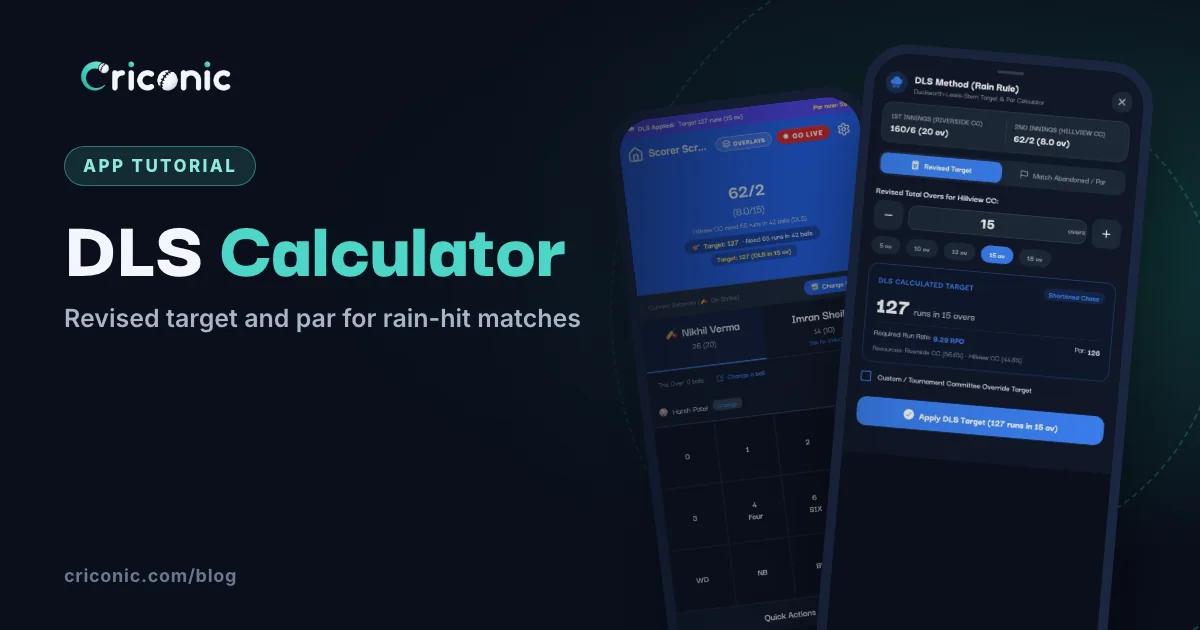
Rain at the ground, 30 minutes lost, and now both captains are arguing about the target. Riverside made 160 in 20 overs. Hillview will only get 15 overs. Is the target 121? 130? "Run rate se kar lo" never seems fair to the side that is losing.
The DLS method (Duckworth-Lewis-Stern) is the rain rule used in international cricket. This guide explains it in plain words, with a worked T20 example, and shows how to use the DLS calculator in the Criconic app to set a revised target or find the par score when rain ends a match.
What is DLS, in simple words?
A batting side has two things to spend: overs and wickets. DLS calls the two together resources. At the start of a 50-over innings a side has 100% of its resources. A 20-over innings with no wicket down is worth about 56.6% of that.
Rain takes overs away, and with them some of the chasing side's resources. DLS scales the target to match:
- Par score = first-innings total × (chasing side's resources ÷ first side's resources), rounded down.
- Revised target = par score + 1.
The par score is also what the chasing side needs at any ball to be level. If rain ends the match for good, the side ahead of par wins.
Why wickets matter, not just overs
A simple run-rate rule only looks at overs. DLS also asks how many wickets are left. A side with eight wickets in hand would have attacked in its last overs; a side five down could not have used them as well. So losing the same overs takes more away from the side two down, and DLS cuts its target by more. In the example below, that is why Hillview's target is higher at 62 for 5 than at 62 for 2.
1. Open the DLS calculator in the app
The calculator is part of the scorer in the Criconic app (the website's scorer doesn't have it). During the chase, on the scorer screen:
- Tap the gear icon at the top to open Match Settings.
- Tap Match Rules to open that section.
- Tap DLS Method (Rain Rule). It reads "Revise the target when rain cuts overs".
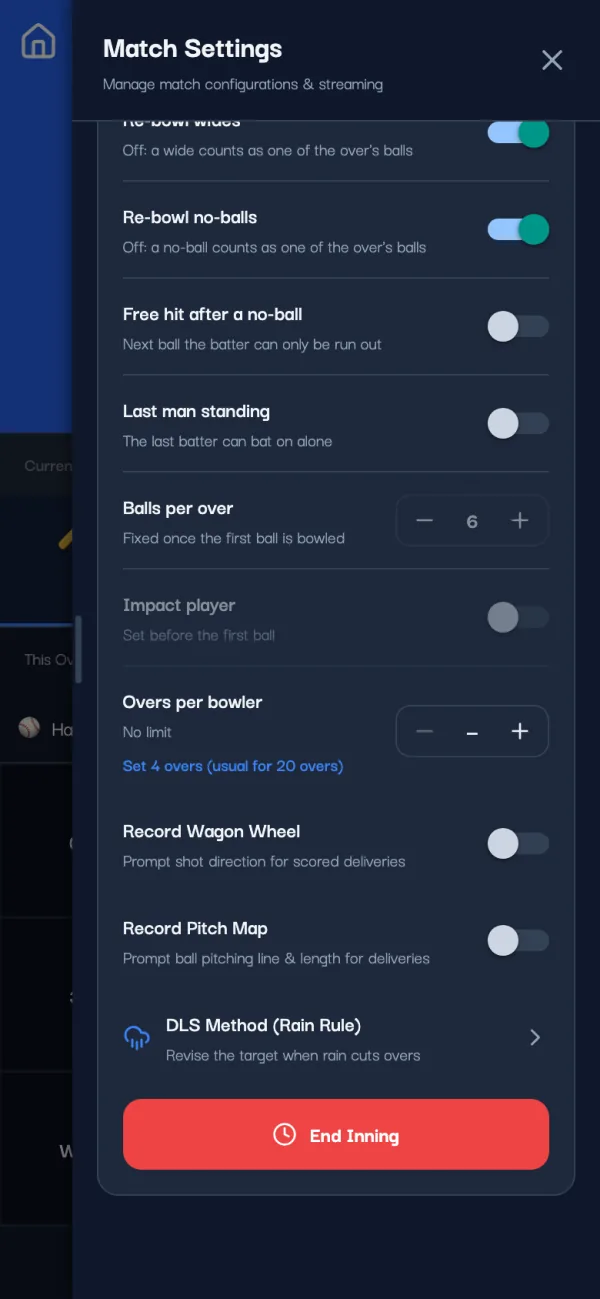
A few rules about when it opens:
- Second innings only. In the first innings the row says "Opens in the second innings". If rain comes at the break, pick the chase openers as usual and open the calculator before the first ball.
- 6-ball overs only. With 5-ball or 8-ball overs (common in box cricket) it says "Works with 6-ball overs only".
- Limited-overs matches. It isn't offered in a Test match, a single wicket match or a super over.
2. Enter the revised overs
You don't type the scores. The calculator reads them from the match: the first-innings total and the chasing side's runs, wickets and overs at the moment play stopped. Both are shown at the top.
On the Revised Target tab, set Revised Total Overs for the chasing team: type a number, use the − and + buttons, or tap a chip (5, 10, 12, 15 or 18 overs, whichever are shorter than the match). The target updates as you change it.
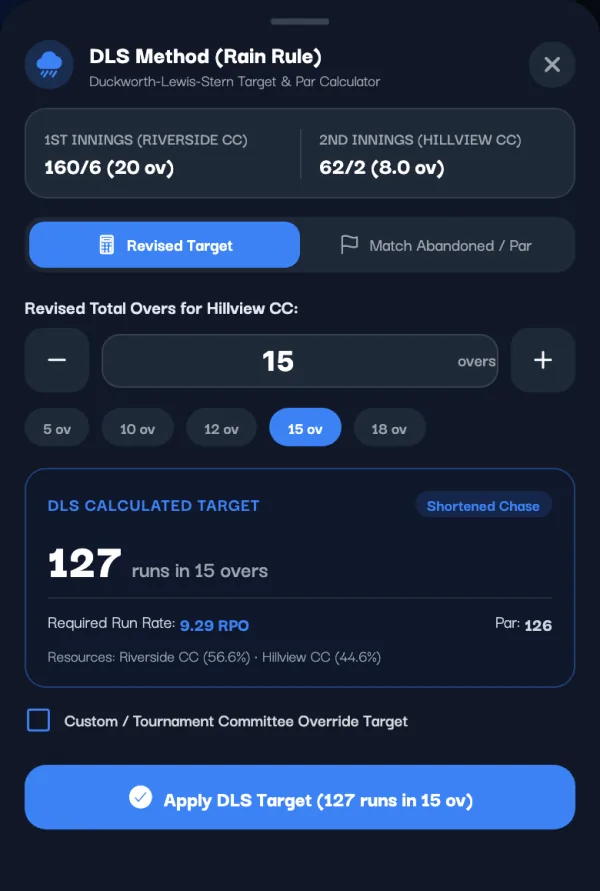
The result card shows:
- DLS Calculated Target: the runs the chasing side now needs, in the revised overs.
- Required Run Rate: the rate needed from here.
- Par: the score that would tie.
- Resources: each side's resource percentage, so you can show your working to the other captain.
Overs are whole overs, and the new number has to be more than the overs already bowled in the chase.
3. Apply the target
Tap Apply DLS Target. This isn't just a calculation on your screen: the new target and overs are saved to the match. The scorer screen shows a DLS Applied bar with the target and the overs, plus Par now, the par score at the current ball. The live scorecard and the commentary use the new target too.
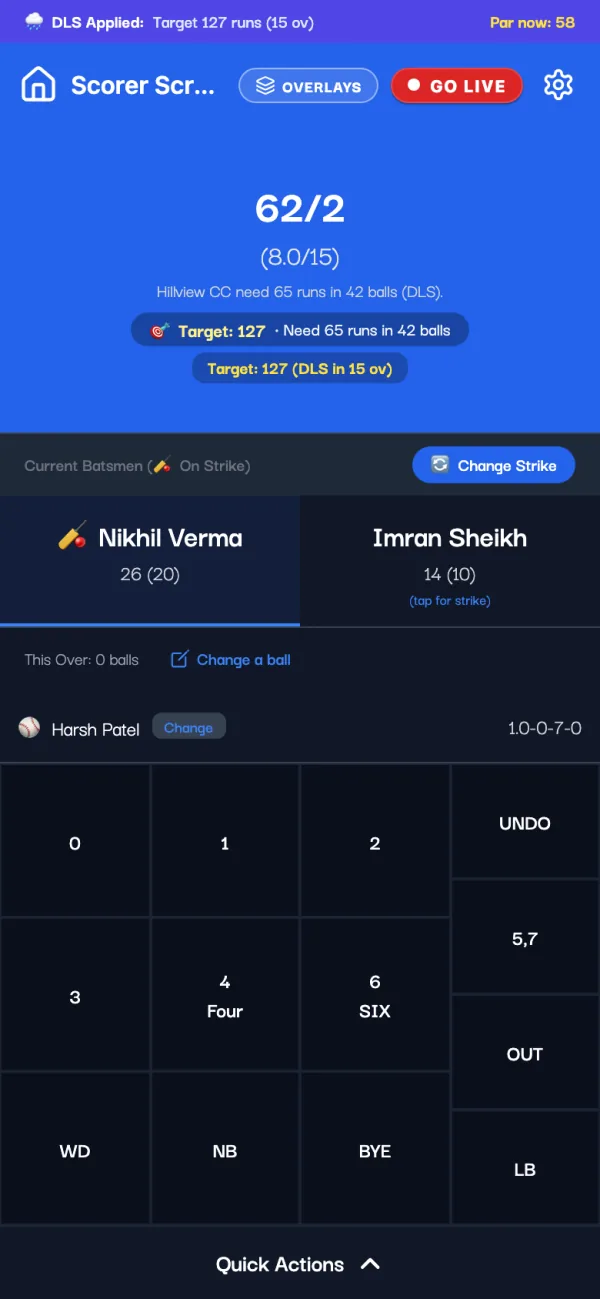
From here the chase finishes like any other:
- Reach the revised target and the chasing side wins by wickets.
- Run out of overs short of it and the side batting first wins by runs.
- Finish exactly on par and it's a tie, which can go to a super over.
More rain? Open the calculator again and set fewer overs. It starts from the target you already applied, not from the original one. Applied it by mistake? Remove DLS (Restore Original Overs) puts the match back as it was. Applying or removing a target needs internet.
4. If rain ends the match: the par score
Sometimes play never restarts. Open the calculator and switch to the Match Abandoned / Par tab. It puts the chasing side's score next to the DLS par score at that exact ball, and names the winner.
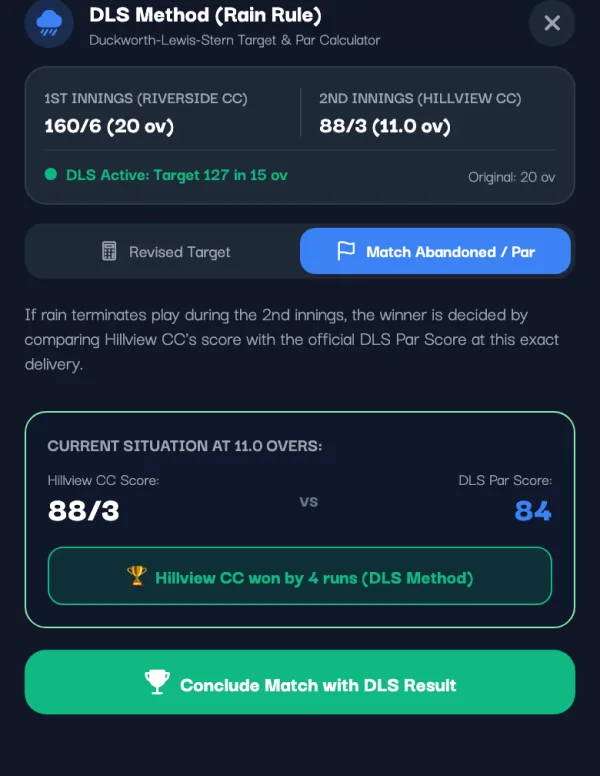
To finish the match, tap Conclude Match with DLS Result and confirm with Declare Winner. The match ends with a result like "Hillview CC won by 4 runs (DLS method)", and the stats are saved as usual.
If fewer than 5 overs of the chase have been bowled, the tab shows a warning: most rules need at least 5 overs (20 in a 50-over match) for a result, otherwise it's a no result. The app doesn't stop you, so check what your league says before you conclude.
A worked example
Riverside CC make 160 for 6 in 20 overs. With all 20 overs and no wicket down, their innings is worth 56.6% in the app's table. Here is what the app's calculator gives Hillview CC in four rain situations:
| When rain came | Hillview's resources | Revised target |
|---|---|---|
| Before the chase, cut to 12 overs | 38.6% | 110 in 12 overs |
| Before the chase, cut to 15 overs | 45.7% | 130 in 15 overs |
| At 62 for 2 after 8 overs, cut to 15 | 44.6% | 127 in 15 overs |
| At 62 for 5 after 8 overs, cut to 15 | 49.1% | 139 in 15 overs |
Take the third row. Hillview need 65 more off 7 overs. If rain comes back at 88 for 3 after 11 overs and play is called off, the par score at that ball is 84. Hillview are 4 runs ahead, so they win by 4 runs.
For comparison, plain run rate would set 121 in 15 overs (160 ÷ 20 × 15, plus one). DLS asks for more because Hillview still have eight wickets for fewer overs, so they can bat harder.
How exact is the app's DLS?
Honest answer: close, but not official. Know these three things before you rely on it.
- It uses a Standard Edition-style table. The app works from a resource table in the style of the old pen-and-paper Standard Edition, for 0 to 50 overs left and 0 to 9 wickets down, and fills in part-overs between whole overs. International matches use the ICC's DLS software (the Professional Edition), which the app doesn't have. The table's full 50-over row matches the published Standard Edition figures, but many of its shorter-innings figures differ, so its target can be a few runs away from an official one, more so when lots of overs are lost.
- It assumes the first innings was not cut. The side batting first is taken to have had all its overs. If rain also shortened the first innings, the app's number won't follow full DLS. Use the committee override instead.
- It's for 6-ball overs. Box cricket with other over lengths needs a rule of its own.
Tips for rain-hit local matches
- Note when play stopped and restarted, so the overs lost aren't argued over later.
- Agree the minimum overs for a result before the match.
- Keep the scorer's phone online to apply DLS. Ball-by-ball scoring works offline (see offline cricket scoring), DLS doesn't.
Questions
What is the DLS method in cricket?
DLS (Duckworth-Lewis-Stern) is the rain rule that sets a fair target when overs are lost. It counts a side's overs and wickets together as resources and scales the target to the resources the chasing side still has.
How is the DLS target calculated?
Par score = first-innings total × (chasing side's resources ÷ first side's resources), rounded down. The revised target is par + 1. The Criconic app works it out from the live score when you enter the new overs.
Is there a DLS calculator for T20 and shorter matches?
Yes. The Criconic app's calculator works in the second innings of any limited-overs match with 6-ball overs, from a few overs a side up to 50. It isn't offered with 5-ball or 8-ball overs.
Does the app change the target by itself when it rains?
No. The scorer opens the DLS calculator, sets the new overs and taps Apply DLS Target. Only then do the target and overs change.
Is the app's DLS target the same as the ICC's?
Not exactly. The app uses a Standard Edition-style table, not the ICC's Professional Edition software, so its target can differ by a few runs. Agree with the other captain before the match, or use the committee override.