
How to Hire a Live Streamer for Your Cricket Match or Tournament
Find a cricket live streamer in your city on Criconic and ask them to stream your match or tournament with a live score overlay. Plus how to become one.
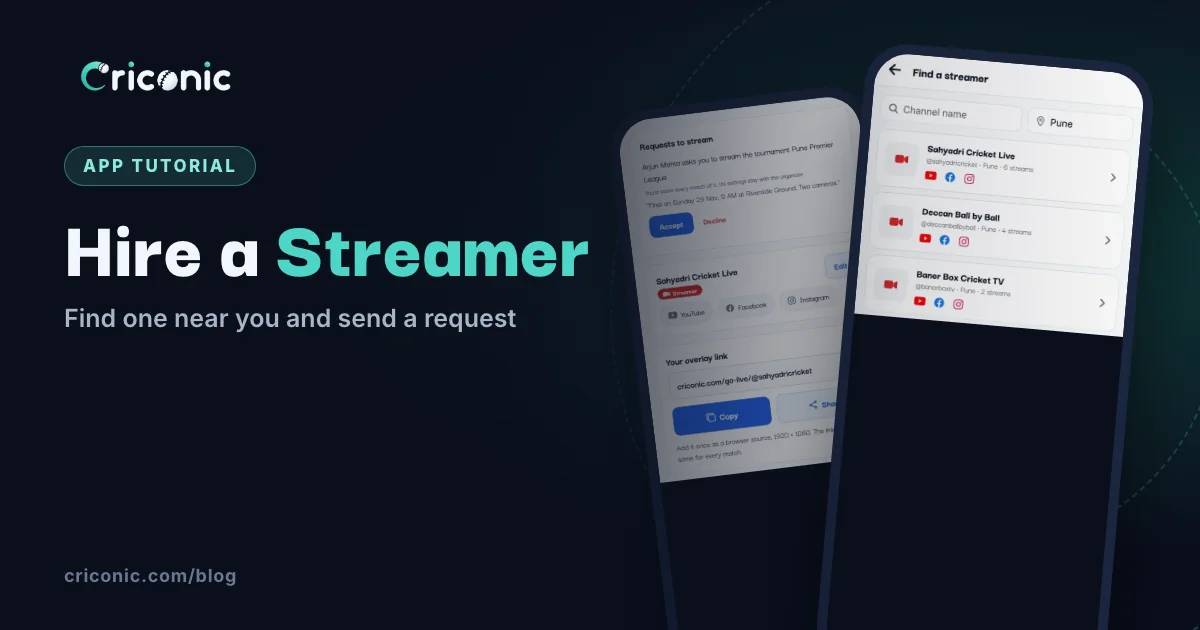
Your tournament final deserves more than a shaky video in the WhatsApp group. Players want their sixes on YouTube, sponsors want their logos on screen, and families in other cities want to watch. Many towns have someone who streams local cricket on YouTube or Facebook. The hard part is finding them, and getting the score on their stream.
This guide shows how to find a cricket live streamer through Criconic, ask them to stream one match or your whole tournament, and what changes once they say yes. If you're a streamer yourself, the last part shows how to get listed.
How it works
Criconic has a directory of approved streamers: people who stream local cricket with Criconic's live score overlays. You send one of them a request from your match or tournament in the app. If they accept, they can score your matches and put them on their stream, with the score bar updating ball by ball. The stream goes out on their own YouTube, Facebook or other channel.
1. Find streamers in your city
In the app, open the menu and tap Find a Streamer (under Explore). On the website, it's Streamers in the menu. Search by Channel name, or type your town in City.
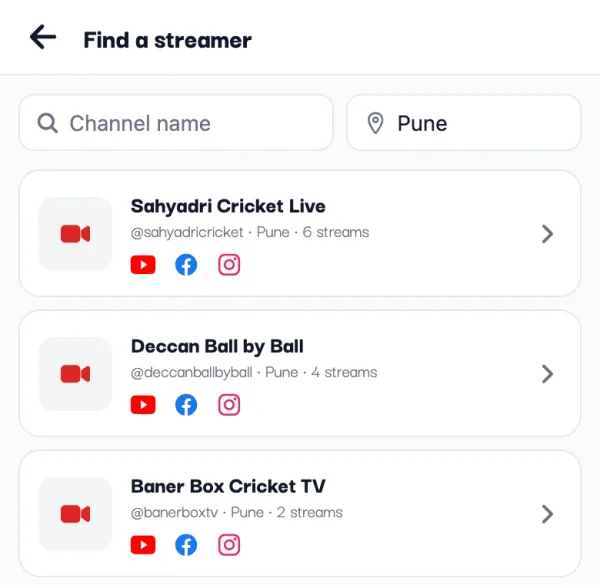
Each streamer shows their channel name, their @handle, their city and how many streams they've done with Criconic. Streamers who were live most recently come first. The YouTube, Facebook, Instagram and website icons open their channels, so you can watch a past stream before you ask. Tap a name to open their profile, which has a Streamer badge and the same channel links.
2. Ask a streamer to stream one match
You need to be the match's organizer or one of its scorers, and it has to be in the app.
- Find the match card, for example in My Cricket → My Matches, and tap it. For a match you score, this opens Match Actions.
- Tap Hire a Streamer ("Ask a streamer to stream this match"). It's there until the match ends.
- The Hire a streamer list opens, with your match's name on top. Search by city as before, and tap Ask next to the streamer you want.
- Add a note if you like: the date, the time, the ground ("A note (optional): date, time, ground…", up to 200 characters). Tap Send request.
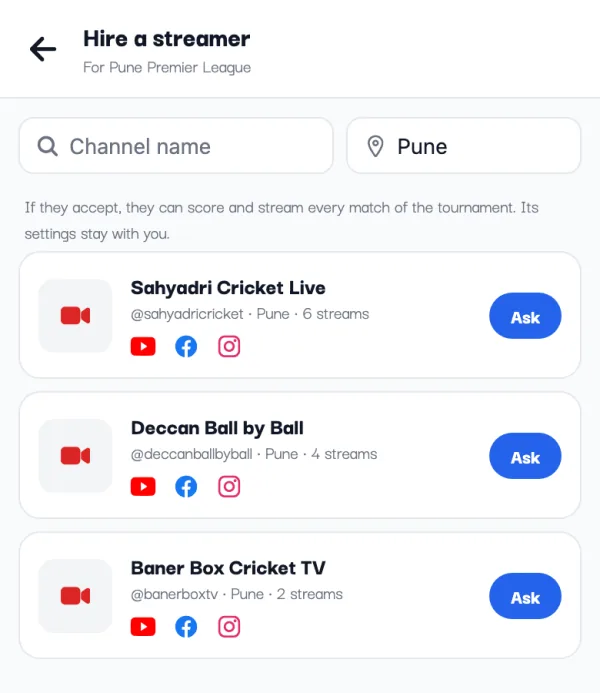
You'll see "Request sent": the streamer gets it in their Streamer studio, and you're told when they answer. If they accept, they become a co-scorer of the match and can put it on their stream. Asking the same streamer again before they answer just says "You've already asked them. Wait for their answer."
3. Or hire one for the whole tournament
For a league or a weekend tournament, ask once for every match. Open the tournament in the app. On the Overview tab, the tournament's organizers see a Hire a Streamer card: "They score and stream all its matches; the settings stay with you". Tap it and send the request the same way.
If the streamer accepts, they can score and stream every match of the tournament. They can't change the tournament itself: teams, fixtures and rules stay with you. You'll find them under Manage Organizers → Hired streamers, with a Remove button if plans change.
New to running a tournament? Start with how to create a cricket tournament online.
4. What the streamer sees
The streamer gets a notification, "Request to stream", saying who is asking and for which match or tournament. In their Streamer studio, the request is under Requests to stream with your note, and two buttons: Accept and Decline.
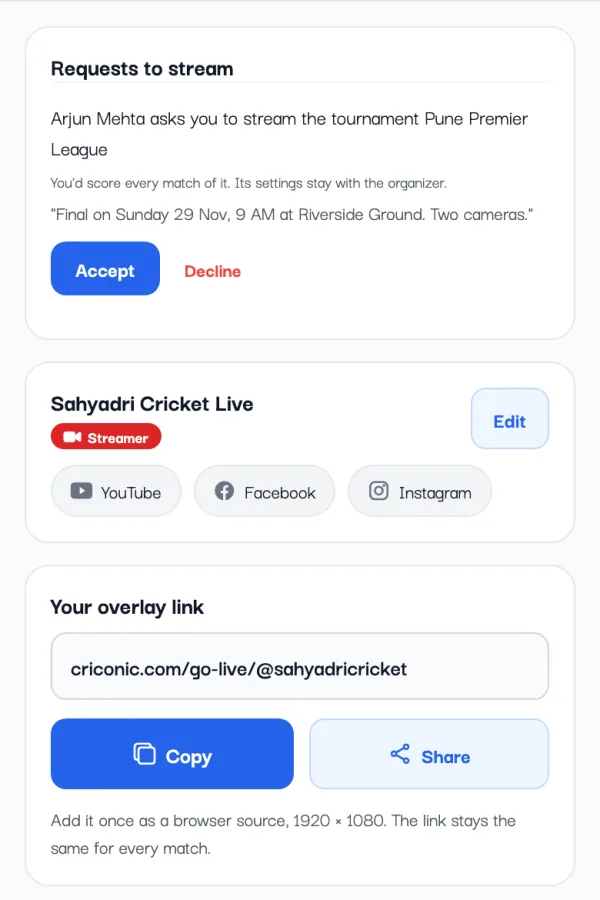
Either way, you get a notification back: "… will stream it" when they accept, or "Streaming request declined" when they can't make it. Then ask someone else.
5. On match day
Every approved streamer has one overlay link of their own, ending in their @handle, set up once in OBS or PRISM. Once they've accepted, they put your match on that link from Go Live. From then on:
- The score bar follows the scoring. Every ball scored on Criconic shows on their stream: the score, the batters, the bowler, the fours, sixes and wickets.
- One phone scores at a time. The streamer is now a co-scorer, so decide who scores: your usual scorer, or the streamer. See how to add a scorer to a match.
- Your sponsors come first. Sponsor ads you set up (in the app's Go Live, under Sponsor Ads) keep their slots. The streamer's own sponsors only fill slots you left empty.
- Their look, unless you picked one. If you haven't chosen an overlay theme for the match, the streamer's default look is used.
- Credit and viewers. The match page shows Streamed by with their channel and links. For a public match, people who follow the streamer on Criconic get a notification that they're live.
Share the YouTube or Facebook link in your groups before the first ball, and the live scorecard link too (see how to share a live cricket score). Everything the overlay can show is on the live stream overlays page.
No streamer nearby?
You can stream the match yourself with a phone or camera, a laptop running OBS and Criconic's overlay link. The full setup, from the YouTube channel to the internet at the ground, is in how to live stream a cricket match on YouTube.
For streamers: get listed on Criconic
Do you stream local cricket on YouTube, Facebook or Instagram? Apply to become a Criconic streamer, and organizers can find you and send you requests.
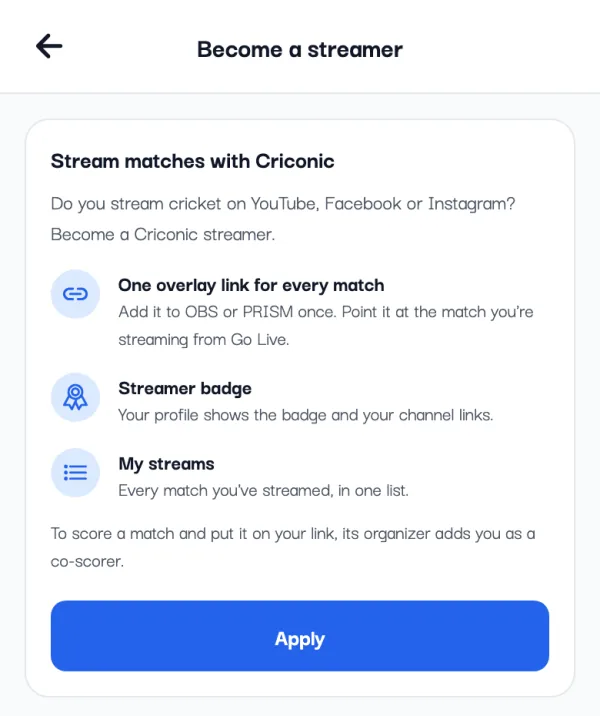
- In the app, open the menu and tap Become a Streamer. On the website, sign in and open Streamer Studio from your settings page. Tap Apply.
- About you: your Channel name, a Link name (it becomes your overlay link, criconic.com/go-live/@yourname), at least one channel link, your City and, if you like, your channel logo. Fill in the city: it's what organizers search by.
- Answer a few quick questions in Streaming so far, Your setup and Anything else, then tap Send application.
You'll see "Application sent". The Criconic team checks your channel and you get a notification once it's reviewed. If it isn't approved, the reason shows on the same screen and you can fix it and tap Apply again.
Once approved, your overlay link starts working, your profile gets the Streamer badge, you're in the directory, and requests from organizers land in your Streamer studio. To stream a match nobody hired you for, its organizer adds you as a co-scorer.
Questions
How do I hire a live streamer for my cricket tournament?
In the Criconic app, open your tournament, and on the Overview tab tap Hire a Streamer. Find a streamer by city, tap Ask, add a note and tap Send request. If they accept, they can score and stream every match of the tournament.
How do I find cricket live streaming near me?
Open Find a Streamer in the app menu, or Streamers on criconic.com, and type your town in the City box. Each streamer's channel links are there, so you can watch their past streams.
How much does a cricket live streamer charge?
Criconic doesn't list prices or take payment for streaming. If a streamer charges, agree on the fee with them directly before match day.
Can a hired streamer change my tournament?
No. A streamer hired for a tournament can score and stream its matches, but the tournament's settings, teams and fixtures stay with its organizers. You can remove them under Manage Organizers.
How do I become a cricket streamer on Criconic?
Tap Become a Streamer in the app menu, or open Streamer Studio on the website, and apply with your channel details. Once approved, you get your own overlay link, a Streamer badge and a place in the directory.