
How to Track Your Cricket Stats (Free Career Stats App)
Check your cricket career stats on your phone: batting and bowling averages, strike rate, form, badges and rankings, plus a stats card for WhatsApp. Free.
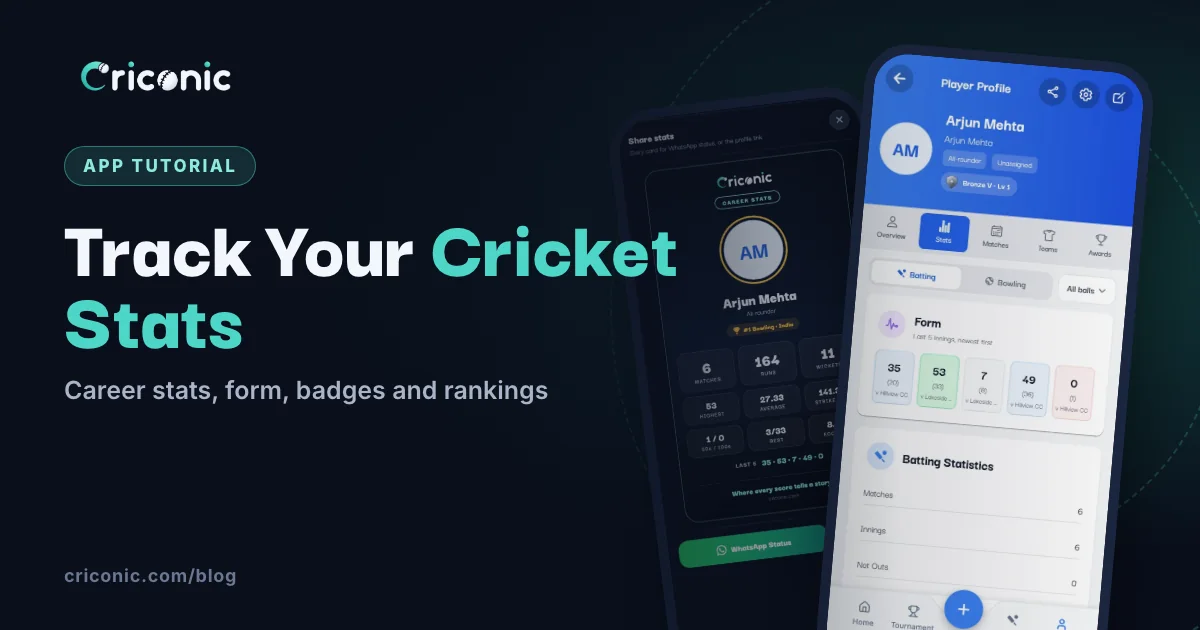
Most club cricketers have no idea what their batting average is. The scorebook is in someone's bag, and nobody adds it up across a season. A cricket stats app does that for you: every match that's scored adds your runs, balls, wickets and catches to your career, automatically.
This guide shows how to check your cricket stats in the Criconic app: your career numbers, your form, badges and milestones, rankings, and a stats card to share on WhatsApp. All of it is free. You never pay to see your own stats.
Where your stats come from
Your stats are built from the matches scored on Criconic, ball by ball. You don't type them in. When a match ends, every player's profile updates: runs, balls faced, fours and sixes, wickets, overs, runs conceded and the rest.
- Score your own matches with the app (see how to use a cricket scoring app), or ask your scorer to.
- Make sure it's you in the squad. If the team added you by your mobile number, signing up with that number gives you the profile, with its matches already on it.
- Added by name only? Claim the profile with This is me (see below).
1. Open your profile
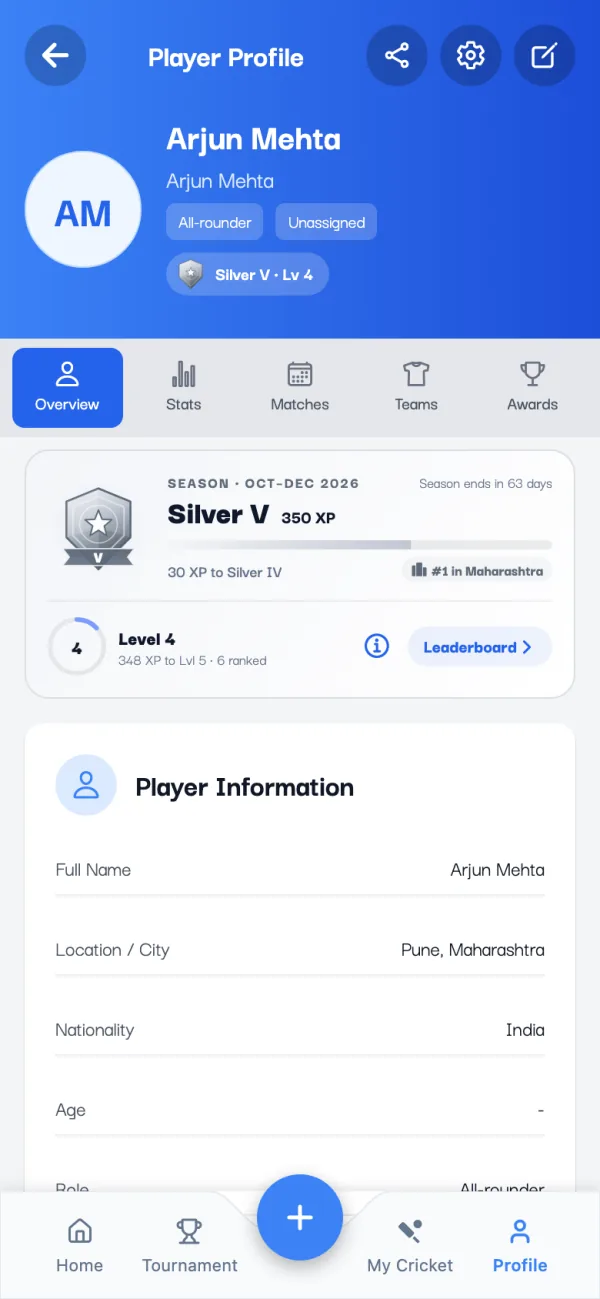
Tap Profile in the bottom bar. The Overview tab has your season rank and level, your details and a career summary: debut, matches, runs, wickets, highest score and best bowling.
2. Check your batting stats
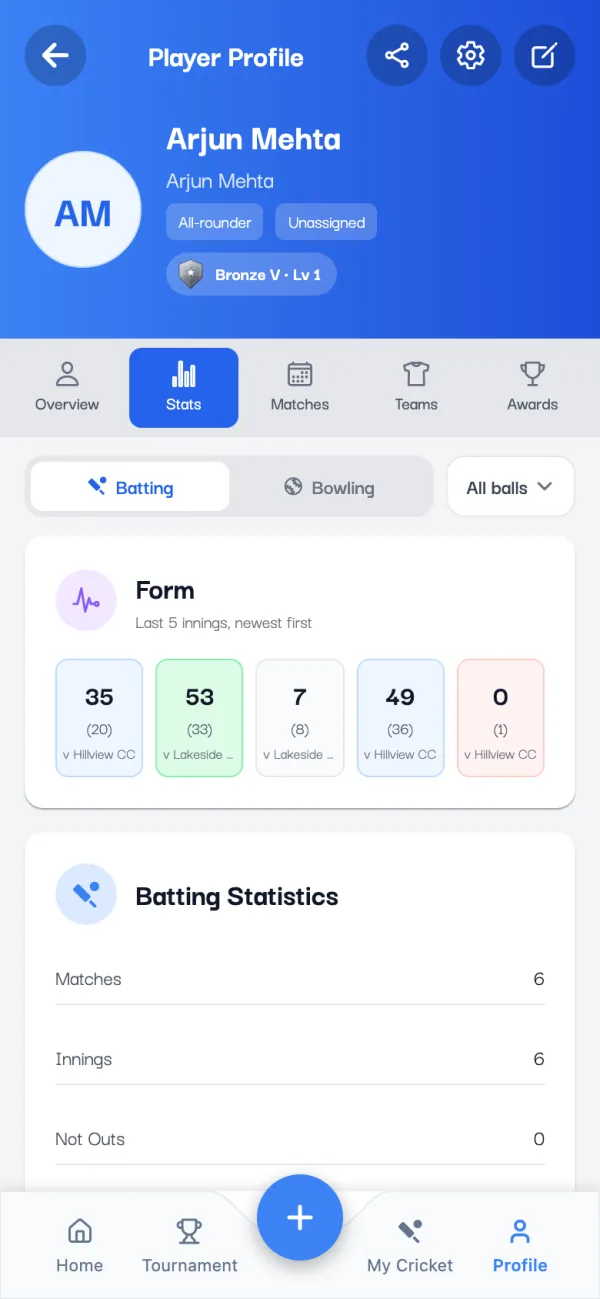
Open the Stats tab. Form shows your last five innings, newest first, and each one opens that match. Below it, Batting Statistics has the full list:
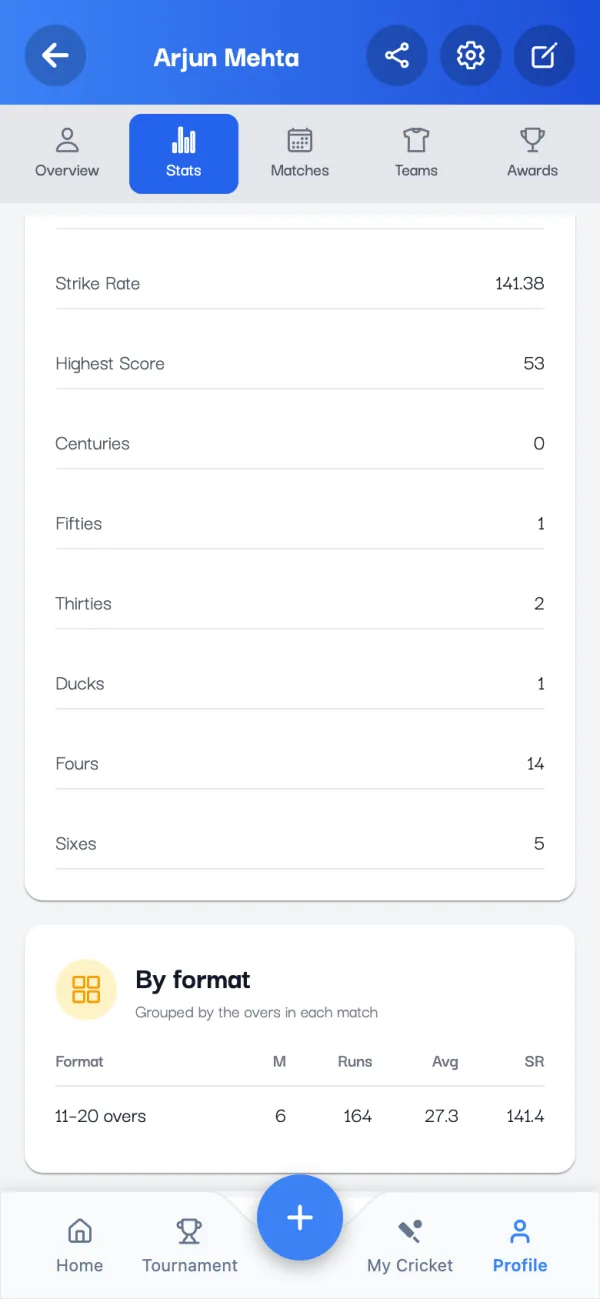
- Matches, innings, not outs and runs
- Average, strike rate and highest score
- Hundreds, fifties, thirties and ducks
- Fours and sixes
How are they worked out? See strike rate, economy and average explained, with a calculator.
3. Check your bowling stats
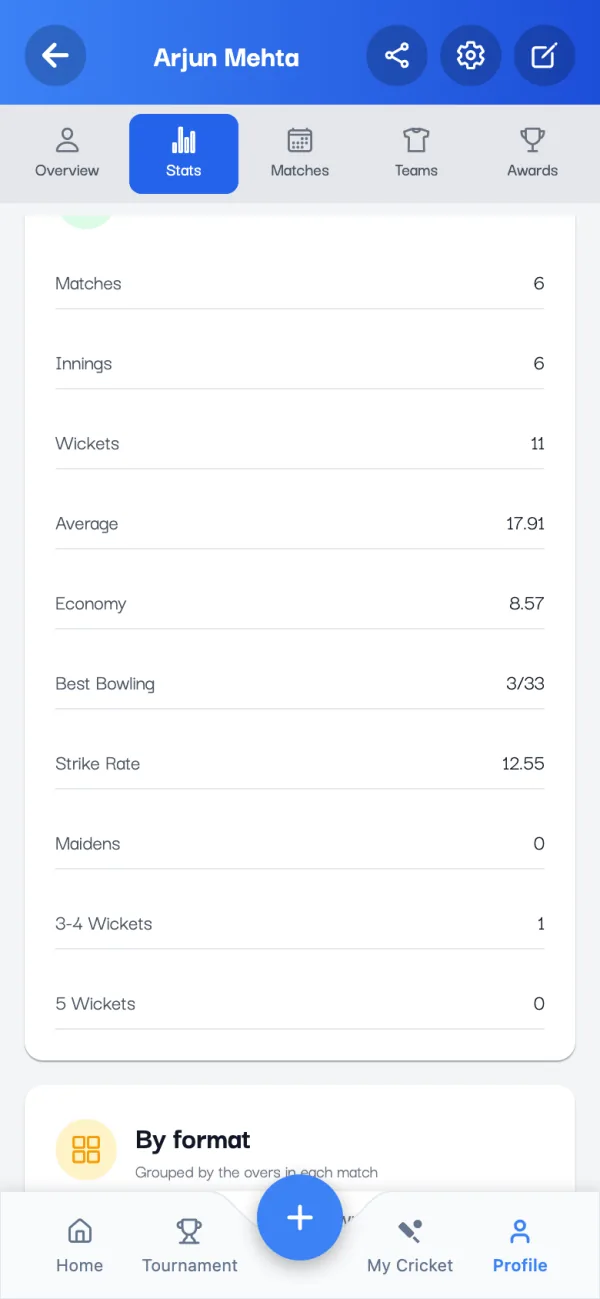
Switch to Bowling for wickets, average, economy, best bowling, strike rate, maidens, and how many times you took three or four wickets, or five.
4. See your form, formats and dismissals
Under the numbers, the Stats tab breaks your career down further:
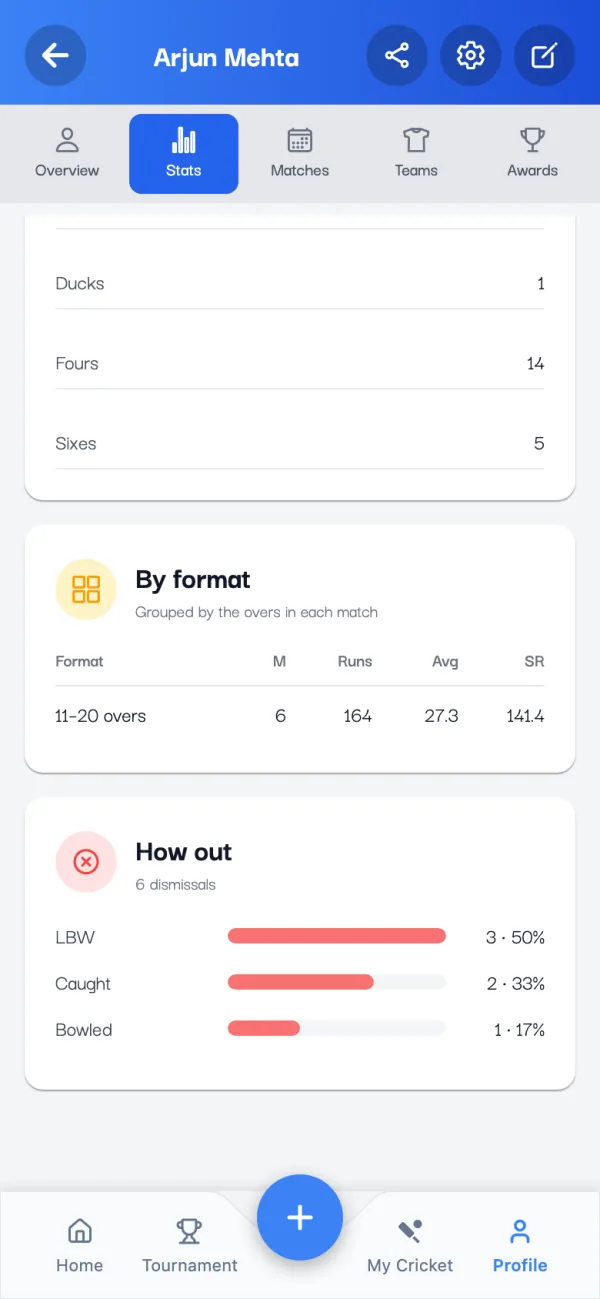
- By format: your runs, average and strike rate (or wickets and economy) in short games up to 10 overs, 11 to 20 overs, longer games, Test, box cricket and single wicket.
- How out: how often you're caught, bowled, LBW, run out or stumped. Handy to know what to work on in the nets.
Play with both balls? The All balls button at the top switches every number to Leather or Tennis only.
5. Share your stats card
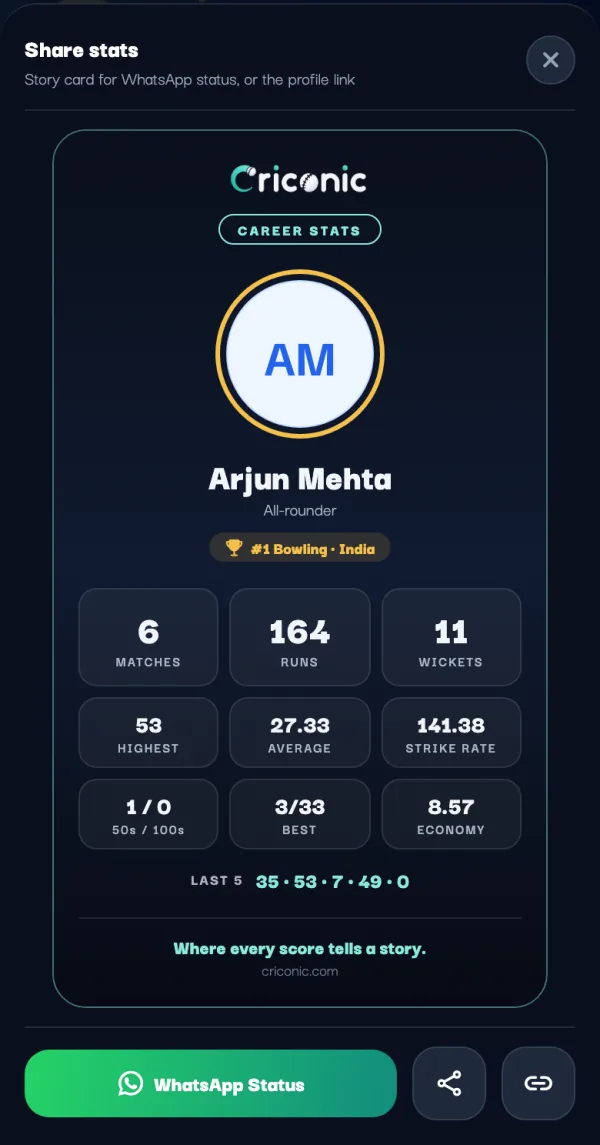
Tap the share icon at the top of your profile. Share stats makes a career stats card with your matches, runs, wickets, highest score, average, strike rate and your last five scores. Post it with WhatsApp Status, save it, or share your profile link instead.
6. Earn badges and milestones
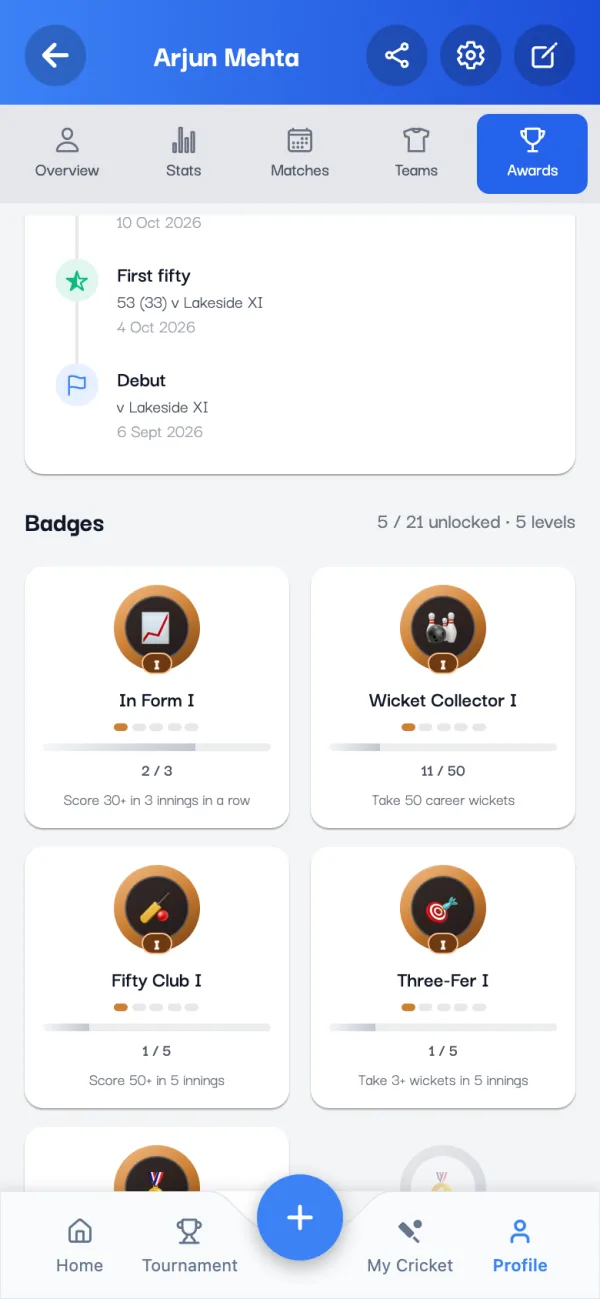
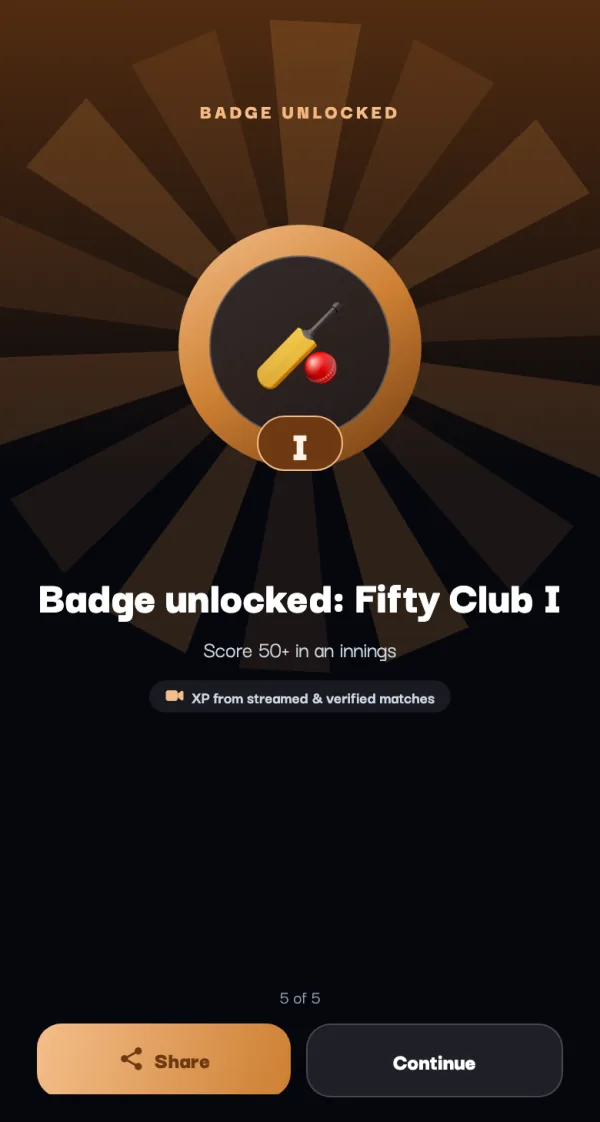
The Awards tab lists your milestones (your debut, first fifty, best figures) and badges such as Fifty Club, Six Machine, Three-Fer, Safe Hands and Match Winner. Each badge has five levels, and the bar shows how close the next one is. When you earn one, the app celebrates it the next time you open it.
7. See where you rank
Open the menu and tap Local Rankings. Choose Batting, Bowling or All-Rounder, the ball type, the period (all-time, this season or a year) and how wide to look: your district, your state or the country. Find me jumps to your place in the list.
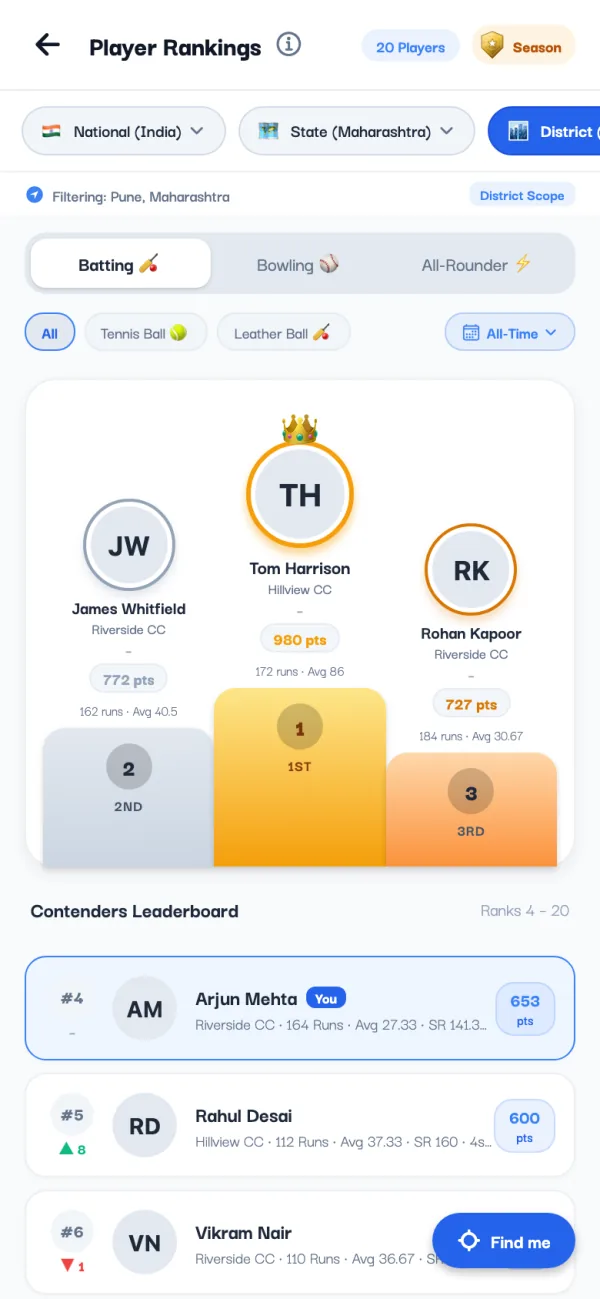
Rankings are points worked out from your performances. You need a few matches before your rank is final; until then it shows as provisional.
8. Climb the Season Ranks
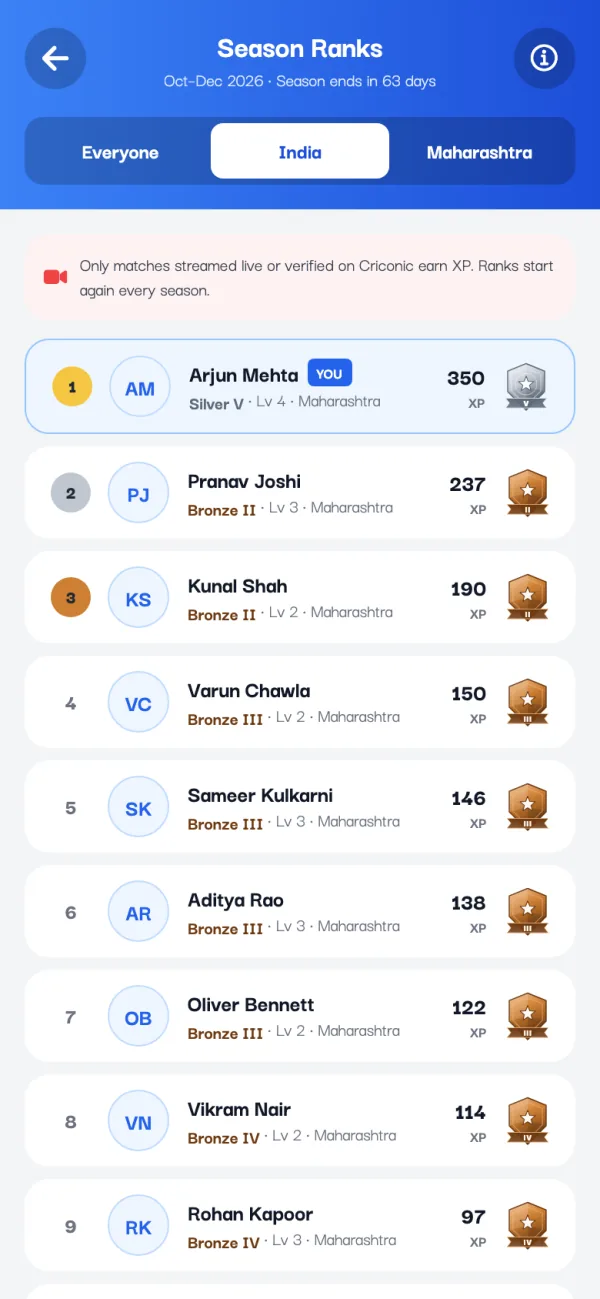
Season Ranks are separate from rankings. You earn XP for playing, winning, runs, wickets, catches and milestones, and climb from Bronze to Legend. Ranks start again every three months, while your career level keeps growing.
9. Claim a profile someone made for you
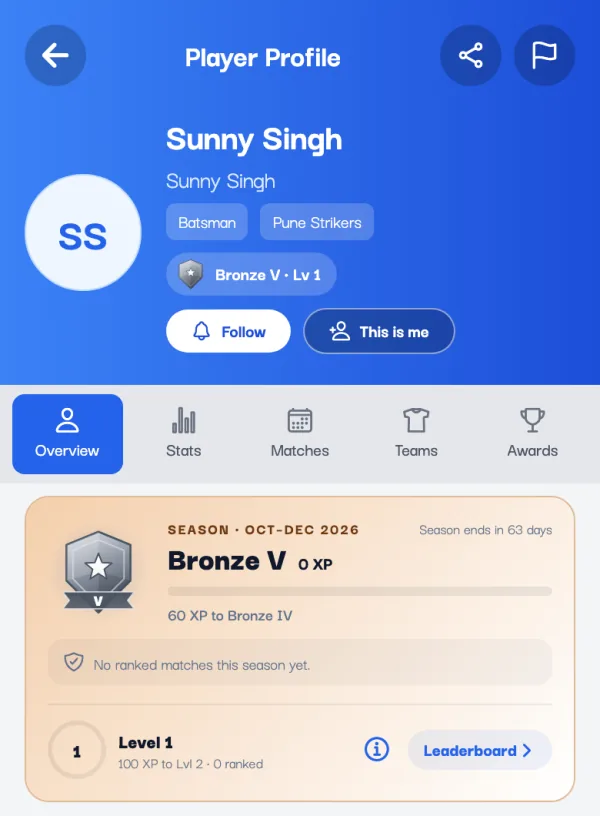
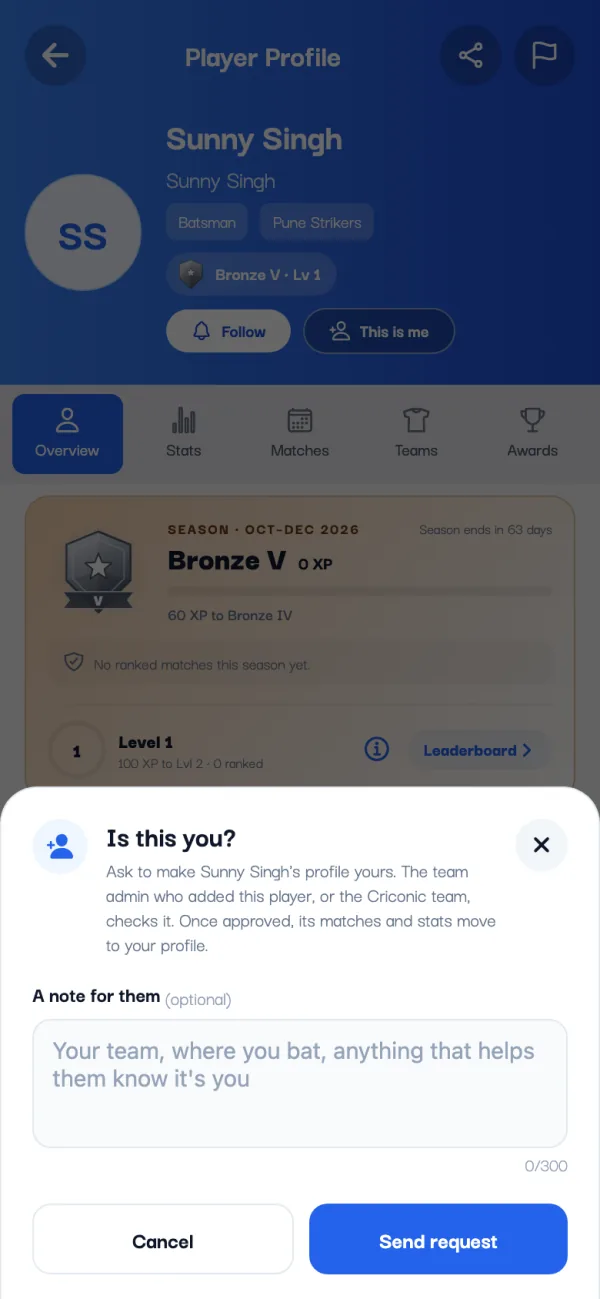
If a team added you by name before you joined, your early matches are on that profile. Open it (from the team or a scorecard) and tap This is me. Add a note to say who you are, and send the request. The team admin who added you, or the Criconic team, checks it. Once it's approved, those matches and stats move to your profile.
Your stats on the web
Every player also has a public profile on criconic.com with their career batting and bowling stats, matches, teams and badges. Share the link with a coach or a selector: it opens in any browser, no app needed.
Questions
How can I check my cricket stats?
Open the Criconic app and tap Profile, then the Stats tab. It shows your batting and bowling career stats from every match scored on Criconic, plus your form and how you got out.
Is the cricket stats app free?
Yes. Your stats, form, badges and rankings are free to see. Criconic never charges to view your stats.
Can I add my old stats by hand?
No. Stats come only from matches scored on Criconic, ball by ball, so every number is backed by a scorecard.
Why don't I see my stats from a match?
The team may have added you under another profile, for example by name only. Open that profile and tap This is me to ask for its matches to move to yours.
Can I see stats for tennis ball and leather ball separately?
Yes. On the Stats tab, tap All balls and choose Leather or Tennis.
Which matches count for Season Ranks?
Only matches streamed live or verified on Criconic earn XP for Season Ranks. All matches count for your career stats, badges and Player Rankings.